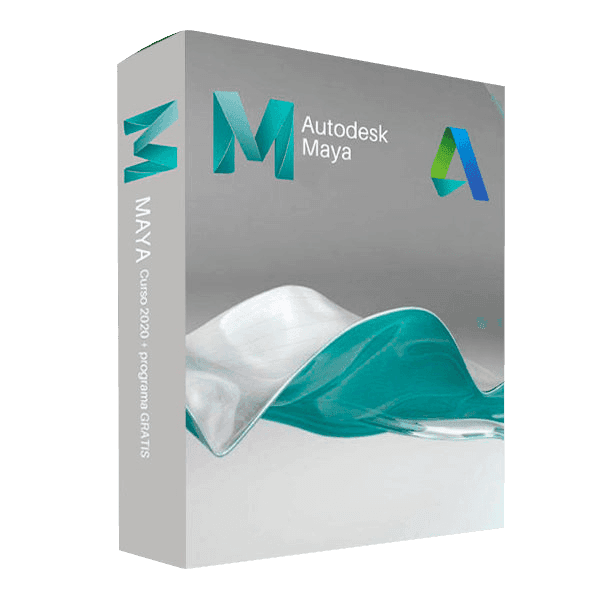

Autodesk Maya

Trusted Shops
Buyer Protection guaranteed refund
Autodesk Maya Original Education License for Windows and Mac, 1 or 3 Years
Trusted Shops Guarantee, Fast Email Delivery and Technical Support Included
License in the Education version, complete with every feature, usable for personal purposes and for learning and training. It carries no watermark and no reference to the Education version in printed files.
| Language | Multi-Language |
|---|---|
| License Duration | Annual and three-year |
| Operating System | Windows and macOS |
| Users | 1 |
Autodesk Maya is the 3D modelling, rigging, animation and rendering program used in film, animation and video games. The license is in the Education version and is linked to an Autodesk account, with no codes to enter.
Why choose Autodesk Maya
Making a character move believably is a different problem from modelling it. You need a skeleton with anatomical constraints, a system for deforming the surface and a curve editor to correct the rhythm of the movement frame by frame.
Maya was built on exactly that. Its rigging system and its graph editor for animation curves are the standard animation studios work with, and the node graph lets you build complex behaviour by connecting elementary operations.
What Autodesk Maya is and what it is for
Maya is the reference tool for character animation and visual effects. It models with polygons, NURBS and subdivision surfaces, simulates cloth, hair and fluids, and produces the final images with the Arnold engine included in the license.
The dependency graph is what makes it different: every element of the scene is a node connected to the others, so an animation can be driven by an expression, by another animation or by a simulation. MEL and Python let you automate any step.
How to keep a scene tidy when it changes hands
- Names are given straight away, not at the end
Every object, material and group takes a readable name from day one. Renaming two hundred nodes called pCube on the eve of delivery is the stupidest way to lose an evening. - History is frozen before exporting
Construction nodes left attached to the geometry slow the scene down and arrive broken on the other side. They are cleared once the model is finished. - Pivot and scale have to be reset
An object with leftover transformations behaves badly as soon as somebody else animates it. Freezing the transformations is the step that always gets forgotten and paid for later. - Other people's pieces come in as references
Instead of importing a colleague's model, you link it: when they update it, your scene follows. Importing it means freezing one version and finding out a week later that it was old. - Namespaces avoid clashes
Two references containing an object with the same name step on each other. Namespaces keep the two origins apart without renaming anything. - Textures live in a project folder
Maya works by projects: if the images sit on the desktop of whoever modelled, the scene arrives grey to everybody else. - Incremental saving is worth more than undo
Numbering the versions of the file, instead of overwriting them, lets you go back to yesterday when today's simulation went wrong. - Before delivering, you clean up
Unused nodes, empty layers and plug-ins called but never used stay written in the file and make it complain on the machine of whoever opens it. One command removes them in a second.
Feature overview of Autodesk Maya
| Feature | Included |
|---|---|
| Polygon, NURBS and subdivision modelling | ✔ |
| Character rigging and animation | ✔ |
| Graph editor for animation curves | ✔ |
| Cloth, hair and fluid simulations | ✔ |
| Rendering with Arnold included | ✔ |
| Scripting with MEL and Python | ✔ |
| Nodes and dependency graph | ✔ |
| FBX, OBJ and Alembic export | ✔ |
Comparison: 3ds Max and Maya
| Activity | 3ds Max | Maya |
|---|---|---|
| Polygon modelling | ✔ | ✔ |
| Architectural and product visualisation | Benchmark | Possible |
| Character animation and rigging | Possible | Benchmark |
| Dynamics and particle simulations | ✔ | ✔ |
| Parametric modifiers on the modelling stack | ✔ | ✘ |
| Built-in scripting language | MAXScript | MEL and Python |
| Importing CAD and DWG models | ✔ | Partial |
| FBX, OBJ and Alembic exchange formats | ✔ | ✔ |
System requirements
Autodesk Maya is compatible with Windows 10, Windows 11 and macOS (Apple Silicon and Intel). For compatibility with your macOS version and the detailed requirements see the "Requirements" tab on the product page.
Why are licenses priced so low?
As these are retail licenses previously owned and decommissioned by the former holder in accordance with EU Court ruling C-128/2011, they can be purchased at a more affordable price. These official licenses are fully compliant and guaranteed at the best price on the market.
What do I receive after purchase?
By purchasing this product you will receive the Autodesk account credentials the license is linked to, the official download from the Autodesk website and complete instructions for a correct installation.
Advantages of the Licensel License
- Fast delivery by email
You receive the license and the download link within a few minutes of your order. - Always free support
Our technicians assist you via Live Chat and email, at no additional cost. - Invoice included
The invoice is issued automatically once the purchase is complete. - Trusted Shops guarantee
Licensel is a Trusted Shops partner shop: every order is covered by the official buyer guarantee.
How to buy and activate
- Choose your edition
Select the version you need and complete your order in a few clicks. - Receive the license by email
Within a few minutes you receive the official download link and the license for activation. - Sign in and install
Go to autodesk.com with the credentials you received and download the program from the official channel: activation happens by recognising the account. - Support included
For any question our technicians are available via Live Chat and email.
How to download and install Autodesk Maya
After purchase you receive by email the Autodesk account credentials and the instructions. Sign in at autodesk.com, open the section with the products linked to your account and download Autodesk Maya from the official Autodesk channel. About 10 GB of free disk space is needed. At first start the program activates by recognising the account, with no codes to type.
Need help with installation?
No problem: our technicians are available via the Live Chat at the bottom right of the website to assist you in real time.
Frequently asked questions
What is the difference between Maya and 3ds Max?
Is the rendering engine included?
Does it work on Mac?
How is the license delivered?
How long does the license last?
DIGITAL Delivery
Guaranteed instant delivery
Customer Support
Always available.
Money-back guarantee
Total satisfaction guarantee.
TrustedShops
Buy with certified confidence.