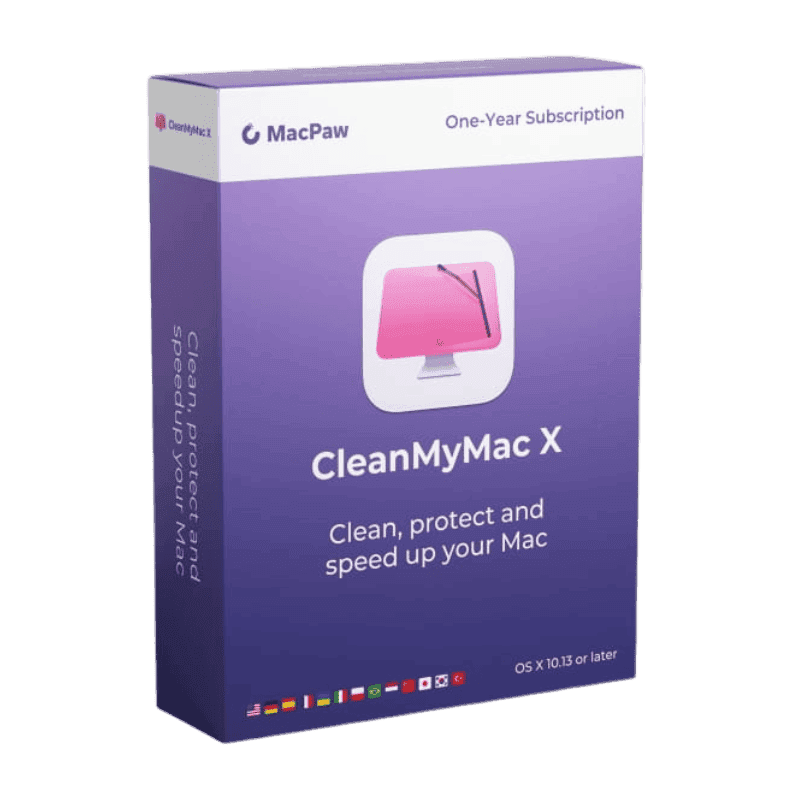
CleanMyMac X

Trusted Shops
Buyer Protection guaranteed refund
CleanMyMac X Original Perpetual or Annual License
Trusted Shops Guarantee, Fast Email Delivery and Technical Support Included
| Language | Italian, Multi-Language |
|---|---|
| License Duration | Perpetual or annual |
| Operating System | macOS |
| Users | 1 |
CleanMyMac X is the cleaning and maintenance suite for macOS: it frees disk space, removes unnecessary system files, uninstalls applications leaving no leftovers and scans the Mac for platform-specific malware. It is the choice of anyone wanting to keep their Mac tidy without hunting through hidden folders by hand. The license is available in a perpetual or annual version.
Why choose CleanMyMac X
On macOS space is consumed in places you cannot see: application caches, attachments downloaded by Mail, old iOS device backups, support files from programs uninstalled months earlier. These are hidden folders the user never opens and that can take up tens of gigabytes.
CleanMyMac gathers all these items in a single scan and shows what can be removed, with an explanation for each category. It also adds scanning for Mac-specific malware: adware and unwanted extensions that install alongside other programs and that system tools do not flag.
What CleanMyMac X is and what it is for
CleanMyMac X scans the system and groups what can be deleted into clear categories: caches, logs, mail attachments, unused language files and leftovers from uninstalled applications. Each category comes with an explanation, so the choice of what to remove stays informed.
Alongside cleaning, the program includes complete application uninstallation, login item management, detection of large or long-unopened files and a panel reporting system status, with memory, free space, temperature and the most demanding processes. Malware scanning completes the package.
What really takes up space on a Mac
- The System Data entry is almost always the biggest
In the storage panel a huge slice appears that nobody understands. Inside there are local Time Machine snapshots, caches and support files: it is the first place to look, not the last. - Time Machine snapshots sit on the internal disk
Even with no external disk connected, macOS keeps local copies that can take tens of gigabytes. They free themselves when space runs short, but in the meantime the Mac looks full. - The Photos library weighs more than it seems
If the library is set to keep the originals on the Mac instead of in iCloud, there are two copies of every shot. It is the setting that moves more gigabytes than any cleaning. - Phone backups stay there for years
Every iPhone connected once leaves a backup in the user library. Usually nobody looks at them again and each takes as much as a high definition film. - Mail attachments all get downloaded
If the mailbox is set to download messages with their attachments, ten years of mail becomes several gigabytes of documents already archived elsewhere. - For developers, Xcode is the biggest entry
Build folders, simulators and archives of old projects easily pass fifty gigabytes. They empty with no consequences and are recreated when needed. - The Photos bin and the system bin are two different things
Deleted images stay in the Recently Deleted album for thirty days and keep taking up space. They have to be emptied from inside Photos, not from the Finder bin. - What not to touch
System folders, files in the library whose program you do not recognise, and keychains. A cleaning tool proposes, but the decision to delete stays with whoever reads the list.
Feature overview of CleanMyMac X
| Feature | Included |
|---|---|
| Uninstalling programs along with their support files | ✔ |
| Locating the largest and oldest files | ✔ |
| Management of the extensions and add-ons | ✔ |
| Emptying the bins of all the applications | ✔ |
| Freeing the memory taken up needlessly | ✔ |
| Scheduled maintenance with a reminder | ✔ |
| Recoverable space shown before proceeding | ✔ |
| Permanent removal of confidential files | ✔ |
Comparison: maintenance on Windows and on Mac
| Maintenance task | CCleaner (Windows) | CleanMyMac (Mac) |
|---|---|---|
| Cleaning junk files and caches | ✔ | ✔ |
| System registry cleaning | ✔ | Not applicable |
| Startup program management | ✔ | ✔ |
| Uninstallation with leftover removal | ✔ | ✔ |
| Malware scanning | ✘ | ✔ |
| Automatic program updates | ✔ | ✔ |
| Browsing trace cleanup | ✔ | ✔ |
| Operating system | Windows | macOS |
System requirements
CleanMyMac X is compatible with macOS on Macs with Apple Silicon and Intel chips. For compatibility with your macOS version and the detailed requirements, see the "Requirements" tab on the product page.
Why are licenses priced so low?
As these are retail licenses previously owned and decommissioned by the former holder in accordance with EU Court ruling C-128/2011, they can be purchased at a more affordable price. These official licenses are fully compliant and guaranteed at the best price on the market.
What do I receive after purchase?
By purchasing this product you will receive the official download of the software from the MacPaw website, the license for activation and complete instructions for a correct installation.
Advantages of the Licensel License
- Fast delivery by email
You receive the license and the download link within a few minutes of your order. - Always free support
Our technicians assist you via Live Chat and email, at no additional cost. - Invoice included
The invoice is issued automatically once the purchase is complete. - Trusted Shops partner shop
The official Trusted Shops guarantee protects every purchase made on Licensel.
How to buy and activate
- Choose your edition
Select the version you need and complete your order in a few clicks. - Receive the license by email
Within a few minutes you receive the official download link and the license for activation. - Install and activate
Download the software from the manufacturer's official website and enter the license to complete activation. - Support included
For any question our technicians are available via Live Chat and email.
How to download and install CleanMyMac X
After purchase you receive the activation code and the official download link by email. Download CleanMyMac from macpaw.com, drag it into the Applications folder and enter the code you received at first launch. The operation takes a few minutes. If you prefer to be guided step by step, our technicians can assist you during installation.
Need help with installation?
No problem: our technicians are available via the Live Chat at the bottom right of the website to assist you in real time.
Frequently asked questions
What is the difference from cleaning by hand?
Is it risky to remove the files it suggests?
Does it replace an antivirus?
Is the license perpetual?
Does it work on Windows?
DIGITAL Delivery
Guaranteed instant delivery
Customer Support
Always available.
Money-back guarantee
Total satisfaction guarantee.
TrustedShops
Buy with certified confidence.