











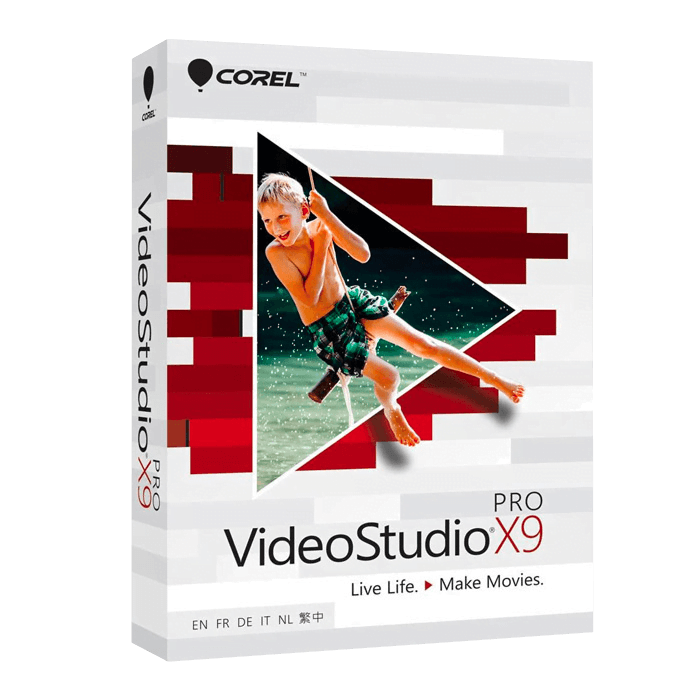

Corel VideoStudio Pro X9

Trusted Shops
Buyer Protection guaranteed refund
Corel VideoStudio Pro X9 Original Perpetual License for Windows
Fast Email Delivery, Official Guarantee and Free Technical Support
| Language | Italian, Multi-Language |
|---|---|
| License Duration | Perpetual (no expiry) |
| Operating System | Windows |
| Users | 1 |
Corel VideoStudio Pro X9 is the most affordable version of Corel's video editing program: multi-track timeline, transitions, titles, effects and basic corrections to make polished films without complications. It is designed for students, families and beginners looking for a complete tool at a low cost. The license is perpetual and is delivered with its product key.
Why choose Corel VideoStudio Pro X9
Not everyone needs the latest version. Anyone editing family films, travel footage or school videos uses functions that have existed in editing for years: cut, join, add a transition, a title and some music, export. VideoStudio Pro X9 covers exactly this ground at a markedly lower cost than recent editions.
It is also a good starting point for learning. The interface divides work into capture, edit and share, and the logic of the timeline is the same as in professional programs: anyone starting here finds the same concepts in any other editor. Compared with more recent versions it mainly lacks the effects born for social media, such as augmented reality stickers and split-screen videos.
What Corel VideoStudio Pro X9 is and what it is for
VideoStudio Pro X9 works on a multi-track timeline where video, images, titles and music coexist. Clips are cut, moved and overlaid, transitions are applied by dragging them between two pieces and titles are chosen from a library of already animated templates.
The correction functions cover basic needs: brightness, contrast and colour adjustment, frame cropping, rotation of vertical footage and audio level balancing. Export produces high definition files suited to online publishing, sharing with family and friends or preserving the family archive.
From the memory card to the finished video: the order of work
- The card is emptied before touching anything
The files are copied onto disk and the card is formatted only after checking the copy. Editing from the card is the quickest way to lose a day's shooting. - One folder per project, with everything inside
Clips, music, images and project file in the same place. Whoever scatters the files finds out six months later, when the project can no longer find anything. - You watch all the footage before starting
Half an hour of viewing with pen and paper saves two days of random editing. You note the good minutes and throw away the rest. - The rough cut first, with no embellishment
You line up the pieces in the right order and see whether the story stands up. Adding transitions to an edit that does not work is time wasted twice. - Colour is dealt with when the cut is closed
Correcting a scene that will then be removed is work thrown away. Correction comes when the length is final. - Titles are written looking at the smallest screen
Text that looks big on the monitor is unreadable on the phone. The test is done on the device the video will really be seen on. - The project is saved with a number that grows
Keeping the intermediate versions costs little space and saves you when a change makes everything worse. A single file saved over is a needless risk. - What is lost by skipping the archiving
With the video delivered, the original clips are still needed: for a correction, for a second edit. They are archived on an external disk before freeing space.
Feature overview of Corel VideoStudio Pro X9
| Feature | Included |
|---|---|
| Title and animated text templates | ✔ |
| Filters applicable to several clips at once | ✔ |
| Volume adjustable across the whole track | ✔ |
| Freeze frame and reverse playback | ✔ |
| Background noise removable from the recorded audio | ✔ |
| Project saveable into a single folder | ✔ |
| Export in the formats for mobile devices | ✔ |
| Step by step guide for the commonest operations | ✔ |
Comparison: Pinnacle Studio Ultimate vs VideoStudio Pro
| Feature | Pinnacle Studio Ultimate 26 | VideoStudio Pro 2023 | VideoStudio Pro X9 |
|---|---|---|---|
| Multi-track timeline editing | ✔ | ✔ | ✔ |
| Included transitions, titles and effects | ✔ | ✔ | ✔ |
| Advanced colour grading | ✔ | Basic | Basic |
| Masking and motion tracking | ✔ | ✘ | ✘ |
| Multi-camera editing | ✔ | ✔ | ✔ |
| Augmented reality stickers | ✘ | ✔ | ✘ |
| 4K export | ✔ | ✔ | ✔ |
| License type | Perpetual | Perpetual | Perpetual |
System requirements
Corel VideoStudio Pro X9 is compatible with Windows 10 and Windows 11. For detailed requirements see the "Requirements" tab on the product page.
Why are licenses priced so low?
As these are retail licenses previously owned and decommissioned by the former holder in accordance with EU Court ruling C-128/2011, they can be purchased at a more affordable price. These official licenses are fully compliant and guaranteed at the best price on the market.
What do I receive after purchase?
By purchasing this product you will receive the official download of the software from the Corel website, the license for activation and complete instructions for a correct installation.
Advantages of the Licensel License
- Fast delivery by email
You receive the license and the download link within a few minutes of your order. - Always free support
Our technicians assist you via Live Chat and email, at no additional cost. - Invoice included
The invoice is issued automatically once the purchase is complete. - Trusted Shops partner shop
The official Trusted Shops guarantee protects every purchase made on Licensel.
How to buy and activate
- Choose your edition
Select the version you need and complete your order in a few clicks. - Receive the license by email
Within a few minutes you receive the official download link and the license for activation. - Install and activate
Download the software from the manufacturer's official website and enter the license to complete activation. - Support included
For any question our technicians are available via Live Chat and email.
How to download and install Corel VideoStudio Pro X9
The download takes place from the official Corel website through the link you receive by email. Download the installer, run it and follow the wizard: during installation the software asks for the license you received to complete activation. The license is tied to the device on which it is activated. If you prefer to be guided step by step, our technicians can assist you during installation.
Need help with installation?
No problem: our technicians are available via the Live Chat at the bottom right of the website to assist you in real time.
Frequently asked questions
What is the difference from VideoStudio Pro 2023?
Is it suitable for someone who has never edited video?
Is the license perpetual?
Can I export in 4K?
Does it work on Mac?
DIGITAL Delivery
Guaranteed instant delivery
Customer Support
Always available.
Money-back guarantee
Total satisfaction guarantee.
TrustedShops
Buy with certified confidence.





















