
















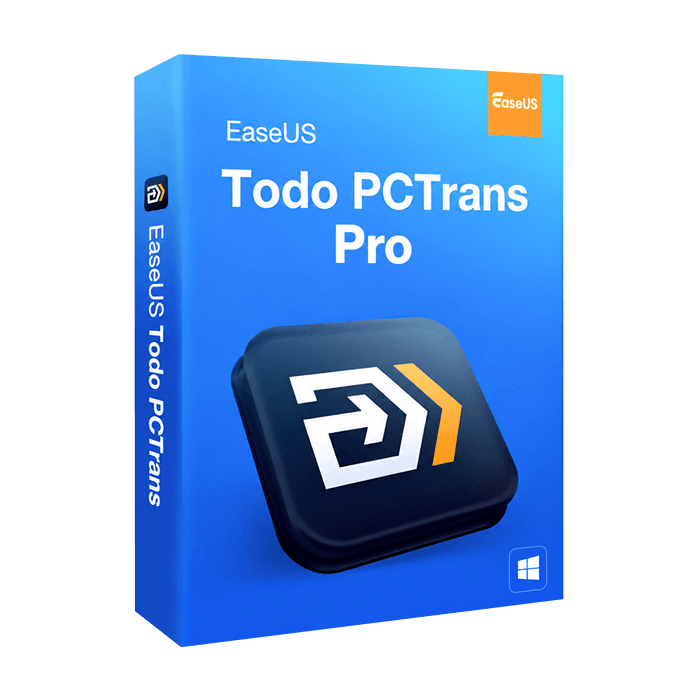
EaseUS Todo PCTrans Pro

Trusted Shops
Buyer Protection guaranteed refund
Genuine EaseUS Todo PCTrans Pro perpetual licence for Windows
Fast email delivery, official guarantee and free technical support
| Language | Multilingual |
| Number of devices | 1 |
| Operating system | Windows |
| Licence duration | Perpetual (no expiry) |
EaseUS Todo PCTrans Pro transfers files, programs, user accounts and settings from an old PC to a new one, without reinstalling anything. It also moves programs to another drive to free up space and recovers data and applications from a PC that no longer boots. It is a perpetual licence valid for 1 device and is delivered with its product key.
Why choose EaseUS Todo PCTrans Pro
Switching computers is easy until you have to set everything up again: the programs to reinstall one by one, the licences to re-enter, the settings to recreate from memory. It's an entire afternoon's work, and something always gets forgotten — usually the program you need the very next day.
Todo PCTrans Pro does this step for you: it connects the old and the new PC and transfers files, programs and accounts just as they are, without reinstalling or reconfiguring. Office and Adobe, usually the most tedious to set up again, transfer directly. What used to be an afternoon becomes an operation that starts and finishes on its own.
What EaseUS Todo PCTrans Pro is and what it's for
EaseUS Todo PCTrans Pro is one of the most widely used data transfer programs, designed for home users, professionals and businesses. It moves the entire contents of one computer to another, installed programs included, or reorganises a PC's space by moving applications from one drive to another.
The transfer can happen by connecting the two computers on the same network, or via an image file when the PCs can't be connected to each other. In addition, when a computer no longer boots, the program lets you recover files and applications from it and move them to a working machine.
When you really need a transfer program
- New PC, same setup
Instead of reinstalling everything by hand, you transfer programs, files and settings from the old computer, which starts up just as it was with no days of work lost. - Office and Adobe without reinstalling
These are the most awkward programs to set up again, between downloads, keys and updates: here they transfer directly to the new PC, already configured. - The two PCs can't be connected
Image-file transfer lets you export everything to a file and import it onto the other computer even later, with no direct connection. - The system disk is full of programs
Moving applications to another disk frees up space on the system disk without having to uninstall and reinstall them elsewhere. - Accounts and customisations
Not just files: user accounts, settings and customisations also move to the new PC, so your working environment stays identical. - The old PC no longer boots
Even from a computer that won't start you can recover files and programs and transfer them to a working machine, without losing your work. - Several transfers over time
As a perpetual licence, it stays available for future computer changes, with nothing to buy again.
Key features of EaseUS Todo PCTrans Pro
Get the official licence of EaseUS Todo PCTrans Pro right away. The software includes many features, including:
- Simple, guided interface, suitable even for less experienced users
- Direct PC-to-PC transfer over a network or local connection
- Migration of Office and Adobe programs without reinstalling
- Transfer of user accounts, settings and customisations
- Transfer via image file, without connecting the two PCs
- Moving applications to another disk to free up space
- Recovery of data and programs from a faulty or non-booting PC
- Compatible with Windows 11, 10, 8 and 7
EaseUS Todo PCTrans Pro features overview
| Direct PC-to-PC transfer | ✔ |
| Program migration without reinstalling | ✔ |
| Transfer of accounts, settings and files | ✔ |
| Transfer via image file | ✔ |
| Moving applications to another disk | ✔ |
| Data recovery from a non-booting PC | ✔ |
| Migration of Office and Adobe | ✔ |
| Compatible with Windows 11, 10, 8 and 7 | ✔ |
Comparison: PC-to-PC transfer and image-file transfer
| Feature | PC to PC | Via image file |
| Requires both PCs on at the same time | ✔ | ✘ |
| Requires a network connection between the PCs | ✔ | ✘ |
| Allows transferring at a later time | ✘ | ✔ |
| Transfers programs, accounts and settings | ✔ | ✔ |
| Needs space to save the image file | ✘ | ✔ |
| Transfer speed | Faster | Depends on the medium |
| Ideal for switching computers | ✔ | ✔ |
System requirements
EaseUS Todo PCTrans Pro is compatible with Windows 11, 10, 8 and 7. For detailed requirements see the "Requirements" tab on the product page.
How do the licences get such a low price?
As these are used retail licences dismissed by the previous owner under EU ruling C-128/2011, they can be purchased at a more affordable price. These official licences are compliant and guaranteed at the best price on the market.
What do I receive after purchase?
By purchasing this product you receive the official download of the software from the EaseUS website, the licence for activation and complete instructions for correct installation.
Benefits of the Licensel licence
- Fast email delivery
You receive the licence and the download link within minutes of your order. - Always free support
Our technicians assist you via Live Chat and email, at no extra cost. - Invoice included
The invoice is issued automatically when the purchase is completed. - Trusted Shops partner store
The official Trusted Shops guarantee protects every purchase made on Licensel.
How to buy and activate
- Complete the order
Add the product to the cart and complete the purchase in a few clicks. - Receive the licence by email
Within minutes you receive the official download link and the licence for activation. - Install and activate
Download the software from the manufacturer's official website and enter the licence to complete activation. - Support included
For any question our technicians are available via Live Chat and email.
How to download and install EaseUS Todo PCTrans Pro
After purchase you receive the licence and the official download link by email. Download EaseUS Todo PCTrans Pro from the manufacturer's website, install it on Windows and enter the licence you received to complete activation. For a direct transfer, the program needs to be installed on both computers. If you prefer step-by-step guidance, our technicians can assist you during installation.
Need help with the installation?
No problem: our technicians are available via the Live Chat at the bottom right of the site to assist you in real time.
Frequently asked questions
What is EaseUS Todo PCTrans Pro?
Is the EaseUS Todo PCTrans Pro license perpetual?
Which operating systems can EaseUS Todo PCTrans Pro be installed on?
Can I get help installing EaseUS Todo PCTrans Pro?
DIGITAL Delivery
Guaranteed instant delivery
Customer Support
Always available.
Money-back guarantee
Total satisfaction guarantee.
TrustedShops
Buy with certified confidence.





















