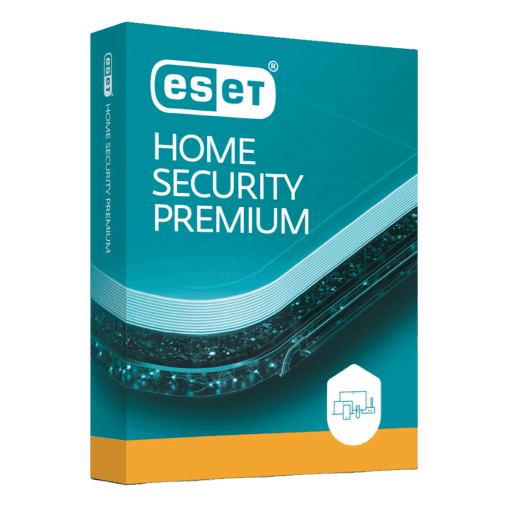
ESET HOME Security Premium

Trusted Shops
Buyer Protection guaranteed refund
ESET HOME Security Premium Original Annual License for Windows, Mac, Android and iOS
Fast Email Delivery, Official Guarantee and Free Technical Support
Available for 1, 3, 5 or more devices and in different durations: select the variant you need among those on this page.
| Language | Italian, Multi-Language |
|---|---|
| License Duration | Annual (renewable) |
| Operating System | Windows, macOS, Android and iOS |
| Users | according to the chosen variant |
ESET HOME Security Premium adds a password manager and sensitive data encryption to antivirus protection, that is what it takes for a lost laptop to stay an expense instead of becoming a disaster, with coverage for up to 10 devices. It is designed for professionals and families holding confidential documents on their computer or USB sticks who want them protected even if these are lost. The license is annual and is delivered by email with the activation code.
Why choose ESET HOME Security Premium
ESET built its reputation on a simple principle: an antivirus should protect without being noticed. Its engine is among the lightest in the sector and keeps working well on computers with a few years behind them, where other suites make the system slow and frustrating to use.
The difference from Essential concerns data, not threats. An antivirus prevents a harmful program from entering the computer, but it does not protect a confidential document if the laptop is stolen or a stick is left on a train. Encryption solves exactly that: without the key, the content stays unreadable.
What ESET HOME Security Premium is and what it is for
ESET HOME Security Premium includes all of Essential's protection, lightweight antivirus, ransomware defence, protected online banking and home network control, and adds two tools dedicated to personal data.
The password manager keeps credentials and card details in an encrypted vault synchronised across devices, fills them in automatically and generates strong, different passwords for every service. Encryption creates protected archives for confidential documents and removable media: anyone who obtains the file or the stick without the key cannot read its content.
The password manager: how you actually get started
- The master password is the only one to remember
It opens all the others and cannot be recovered: if you forget it, nobody can give it back. You choose it long and meaningful to you, and write it once on paper kept in a locked drawer. - You start by importing the browser ones
Chrome, Edge and Firefox export the saved passwords into a file. The manager reads them in one go, and from that moment they are removed from the browser, which is not the right place to keep them. - You do not change them all on day one
You start from mail, bank and main account: if the mailbox falls, all the others fall too, because that is where the recoveries arrive. The rest is updated as you sign into the sites. - New passwords are generated by the program
Twenty random characters nobody has to remember, different on every site. That is the whole point of the tool: the long password becomes free. - Two-step verification is still necessary
Even with perfect passwords, a service offering a second factor should have it switched on. The manager guards the password, it does not prevent somebody using it somewhere else. - Credentials are shared without dictating them
An account two people need is shared inside the program, instead of being passed by message. When one of the two leaves, it is revoked. - File encryption is a separate thing
This edition also encrypts folders and USB sticks. It is for the documents that leave the office: a lost stick without encryption is a folder handed to whoever finds it. - What happens if you stop renewing
The passwords stay in the database and can be exported. It pays to do it before the expiry, not after: a calm export avoids an evening spent recovering accounts.
Feature overview of ESET HOME Security Premium
| Feature | Included |
|---|---|
| Scan scheduled on the day and at the hour you choose | ✔ |
| Blocking of dangerous sites before they open | ✔ |
| Quarantine from which a file can be restored | ✔ |
| Firewall rules editable per individual program | ✔ |
| Definitions updated several times a day | ✔ |
| Detailed reports on every event recorded | ✔ |
| The same license for Windows, macOS and Android | ✔ |
| Clean removal of the antivirus installed before | ✔ |
Comparison: ESET Essential vs Premium vs Ultimate
| Feature | Essential | Premium | Ultimate |
|---|---|---|---|
| Antivirus and ransomware protection | ✔ | ✔ | ✔ |
| Online banking protection | ✔ | ✔ | ✔ |
| Parental controls and anti-theft | ✔ | ✔ | ✔ |
| Password manager | ✘ | ✔ | ✔ |
| Sensitive data encryption | ✘ | ✔ | ✔ |
| VPN with no traffic limits | ✘ | ✘ | ✔ |
| Identity monitoring | ✘ | ✘ | ✔ |
| Devices covered | 1, 3 or 5 | 1, 3, 5 or 10 | 5 or 10 |
System requirements
ESET HOME Security Premium is compatible with Windows, macOS, Android and iOS: the license covers devices on different systems. For detailed requirements see the "Requirements" tab on the product page.
Why are licenses priced so low?
As these are retail licenses previously owned and decommissioned by the former holder in accordance with EU Court ruling C-128/2011, they can be purchased at a more affordable price. These official licenses are fully compliant and guaranteed at the best price on the market.
What do I receive after purchase?
By purchasing this product you will receive the official download of the software from the ESET website, the license for activation and complete instructions for a correct installation.
Advantages of the Licensel License
- Fast delivery by email
You receive the license and the download link within a few minutes of your order. - Always free support
Our technicians assist you via Live Chat and email, at no additional cost. - Invoice included
The invoice is issued automatically once the purchase is complete. - Purchase protected by Trusted Shops
As a Trusted Shops partner shop, your order is protected by the official buyer guarantee.
How to buy and activate
- Choose your edition
Select the version you need and complete your order in a few clicks. - Receive the license by email
Within a few minutes you receive the official download link and the license for activation. - Install and activate
Download the software from the manufacturer's official website and enter the license to complete activation. - Support included
For any question our technicians are available via Live Chat and email.
How to download and install ESET HOME Security Premium
After purchase you receive the activation code and the official download link by email. Download ESET from the eset.com website, install it and enter the code you received at first launch: protection starts immediately and the program automatically downloads definition updates. To protect smartphones and tablets too, simply install the app and sign in with the same account. If you prefer to be guided step by step, our technicians can assist you during installation.
Need help with installation?
No problem: our technicians are available via the Live Chat at the bottom right of the website to assist you in real time.
Frequently asked questions
What is the difference from Essential?
How does data encryption work?
Does it include the VPN?
How is the license activated?
Can I protect smartphones and tablets too?
DIGITAL Delivery
Guaranteed instant delivery
Customer Support
Always available.
Money-back guarantee
Total satisfaction guarantee.
TrustedShops
Buy with certified confidence.