
















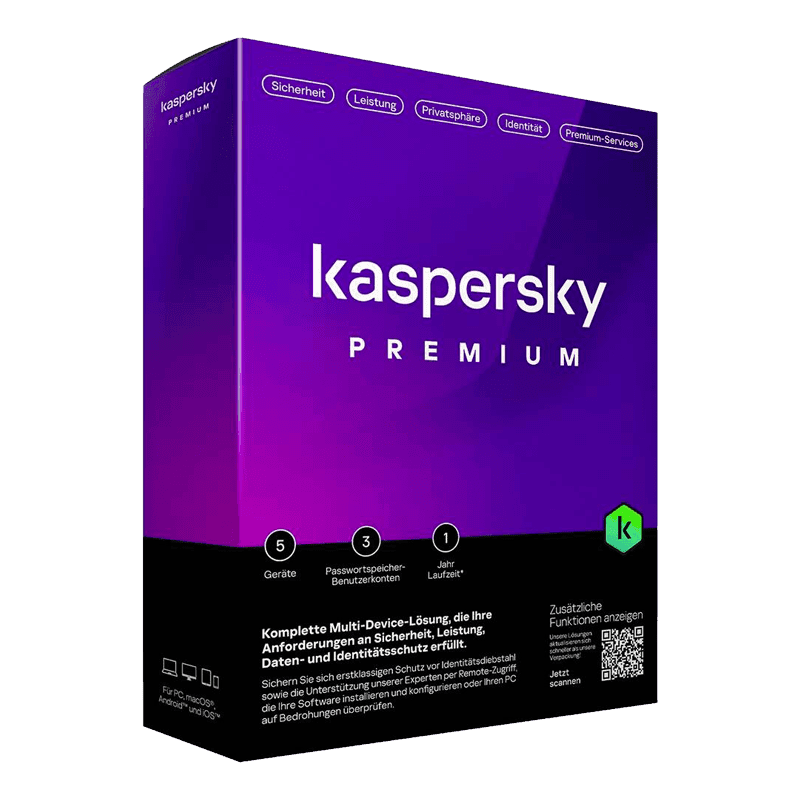

Kaspersky Premium (Total Security)

Trusted Shops
Buyer Protection guaranteed refund
Kaspersky Premium Original Annual License for Windows, Mac, Android and iOS
Best Price Guaranteed by Licensel.com, Invoice Included and Always Free Support
Available for 1, 3, 5 or more devices and in different durations: select the variant you need among those on this page.
| Language | Italian, Multi-Language |
|---|---|
| License Duration | Annual (renewable) |
| Operating System | Windows, macOS, Android and iOS |
| Users | according to the chosen variant |
Kaspersky Premium is the most complete edition of the range: it adds what you need afterwards, once the data has already got out somewhere else: identity protection watching for leaks, an encrypted vault to keep documents in, and priority technical support for when you have to talk to someone straight away. It is the choice of families and professionals holding sensitive data who want to be warned if their information appears in a breach. The license is annual and is delivered by email with the activation code.
Why choose Kaspersky Premium
Identity theft works differently from a virus: the data is not taken from your computer but from an online service you signed up to, and reappears months later in lists resold to third parties. No antivirus can prevent that, because the breach happens elsewhere. What can be done is to notice in time and change the credentials before they are used.
That is exactly the function distinguishing Premium from the other editions: monitoring reports when an email address or document appears in a known data leak, giving you time to act. Added to this are the encrypted vault for identity documents and contracts and the priority support channel, with the option of remote intervention in case of infection.
What Kaspersky Premium is and what it is for
Kaspersky Premium includes everything Standard and Plus offer, real-time antivirus protection, ransomware defence, firewall, protected payments, VPN with no traffic limits and password manager, and adds the layer dedicated to identity.
Breach monitoring checks whether the data linked to your accounts appears in compromised archives and sends an alert when it does. The digital vault stores identity documents, contracts and certificates in encrypted form, accessible only with the master password. Priority support reduces waiting times and lets Kaspersky technicians intervene remotely to remove particularly stubborn infections.
Data leak checking: what it can tell you and what it cannot
- It compares your address with the lists of known breaches
When a service is breached, sooner or later the list of accounts goes into circulation. The program looks for your address inside those lists and tells you which ones it appears in. - It tells you the service and the date, not the password
The alert says which site was breached and when. The password is not shown, and it does not need to be: what matters is that it has to be changed there and everywhere you reused it. - It finds only what has already surfaced
A breach nobody has yet discovered or published does not appear. The absence of alerts means nothing is on record, not that nothing happened. - It cannot remove the data from where it ended up
Once a list circulates, nobody calls it back. The check is for knowing and reacting, not for erasing. - The useful reaction is always the same
Change the password on that service, change it on all the ones where it was the same, and switch on two-step verification wherever the service offers it. - It is worth checking more than one address
The personal one, the work one and the old one you still use for the odd registration. The most annoying breaches concern forgotten accounts. - The password manager closes the circle
Knowing a password is compromised helps if you can change it quickly and without reusing it elsewhere. That is why the two functions live in the same suite. - What stays outside anyway
The data you gave a service voluntarily stays theirs until you ask for deletion. Leak checking looks at breaches, not at regular handovers.
Feature overview of Kaspersky Premium
| Feature | Included |
|---|---|
| Updating of the vulnerable programs installed | ✔ |
| Removal of the traces left by browsing | ✔ |
| Check of the riskiest system settings | ✔ |
| Control of who accesses the webcam | ✔ |
| Keyboard protected against key logging | ✔ |
| Blocking of advertising and intrusive banners | ✔ |
| Alerts suspended during games and presentations | ✔ |
| A single console for the whole family's devices | ✔ |
Comparison: Kaspersky Standard vs Plus vs Premium
| Feature | Standard | Plus | Premium |
|---|---|---|---|
| Antivirus and ransomware protection | ✔ | ✔ | ✔ |
| Firewall and browsing protection | ✔ | ✔ | ✔ |
| Protected online payments | ✔ | ✔ | ✔ |
| VPN with no traffic limits | ✘ | ✔ | ✔ |
| Password manager | ✘ | ✔ | ✔ |
| PC performance monitoring | ✘ | ✔ | ✔ |
| Identity and document protection | ✘ | ✘ | ✔ |
| Priority technical support | ✘ | ✘ | ✔ |
System requirements
Kaspersky Premium is compatible with Windows, macOS, Android and iOS: the license covers devices on different systems. For detailed requirements see the "Requirements" tab on the product page.
Why are licenses priced so low?
As these are retail licenses previously owned and decommissioned by the former holder in accordance with EU Court ruling C-128/2011, they can be purchased at a more affordable price. These official licenses are fully compliant and guaranteed at the best price on the market.
What do I receive after purchase?
By purchasing this product you will receive the official download of the software from the Kaspersky website, the license for activation and complete instructions for a correct installation.
Advantages of the Licensel License
- Fast delivery by email
You receive the license and the download link within a few minutes of your order. - Always free support
Our technicians assist you via Live Chat and email, at no additional cost. - Invoice included
The invoice is issued automatically once the purchase is complete. - Trusted Shops guarantee
Licensel is a Trusted Shops partner shop: every order is covered by the official buyer guarantee.
How to buy and activate
- Choose your edition
Select the version you need and complete your order in a few clicks. - Receive the license by email
Within a few minutes you receive the official download link and the license for activation. - Install and activate
Download the software from the manufacturer's official website and enter the license to complete activation. - Support included
For any question our technicians are available via Live Chat and email.
How to download and install Kaspersky Premium
After purchase you receive the activation code and the official download link by email. Download Kaspersky from the kaspersky.com website, install it and enter the code you received at first launch: protection starts immediately and the program automatically downloads definition updates. To protect smartphones and tablets too, simply install the app and sign in with the same account. If you prefer to be guided step by step, our technicians can assist you during installation.
Need help with installation?
No problem: our technicians are available via the Live Chat at the bottom right of the website to assist you in real time.
Frequently asked questions
What is the difference between Premium and Plus?
How does identity protection work?
What is the document vault?
How is the license activated?
Can I protect smartphones and tablets too?
DIGITAL Delivery
Guaranteed instant delivery
Customer Support
Always available.
Money-back guarantee
Total satisfaction guarantee.
TrustedShops
Buy with certified confidence.