












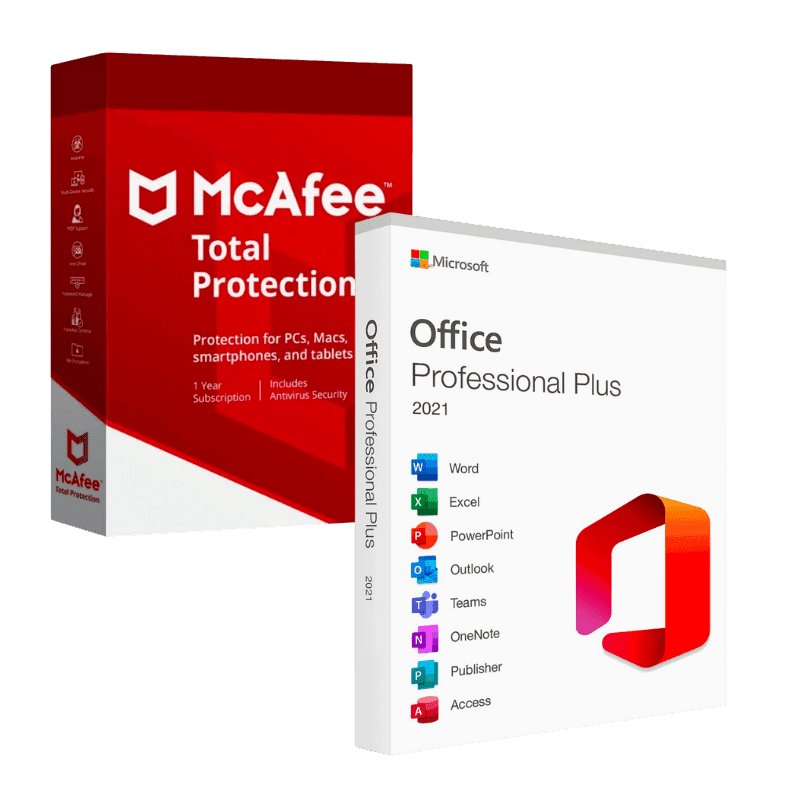

McAfee Total Protection + Office 2021 Professional Plus

Trusted Shops
Buyer Protection guaranteed refund
Mcafee Total Protection + Office 2021 Professional Plus Original License
Best Price Guaranteed by Licensel.com, Invoice Included and Always Free Support
| Language | Multi-Language |
|---|---|
| Validity | Office: perpetual | McAfee: time-limited |
| Content | McAfee Total Protection + Office 2021 Professional Plus |
| Devices | 1 |
The Mcafee Total Protection + Office 2021 Professional Plus package brings together in a single purchase computer protection and the productivity suite: McAfee Total Protection with a time-limited license and Office 2021 Professional Plus with a perpetual license. You will receive two separate activation codes, one per product.
Why choose Mcafee Total Protection + Office 2021 Professional Plus
A work computer needs two things that are often bought at different moments: the program that produces the documents and the protection that stops a wrong attachment ruining everything. Taking them together costs less than buying them separately.
The two licenses are however of a different nature and it is worth knowing beforehand: Office stays yours forever, while McAfee protection is time-limited and must be renewed at expiry to keep receiving definition updates.
What Mcafee Total Protection + Office 2021 Professional Plus is and what it is for
Office 2021 Professional Plus includes Word, Excel, PowerPoint, Outlook, Access, Publisher and OneNote in the version installed on the computer, which also works without a connection. It is the complete suite, with the database and layout applications absent from the Home editions.
McAfee Total Protection is the security suite that protects the computer from viruses, ransomware and phishing attempts, with a VPN for public networks and a password manager.
Two programs, two lifespans: how best to handle them
- The trial antivirus has to go first
Almost every new computer arrives with a trial version that expires. It must be uninstalled before putting on the real protection, otherwise the two engines get in each other's way. - Then the suite, and the protection last
Installing Office with the antivirus already active makes it slower, because every file written is checked. The convenient order is the suite first, then the protection. - Two different accounts, and they do not overlap
The suite is activated on a Microsoft account, the protection on an account with the antivirus maker. Both are needed and it is wise to note them down at once. - Two expiry dates that do not coincide
The suite stays on the computer with no renewals, the protection works for the period the chosen variant states. They are two separate clocks. - What happens when the protection expires
Word and Excel carry on working as before: they are not tied to the antivirus. The only thing that stops is the updating of the definitions. - The Windows defence steps aside by itself
When it recognises an active protection, the one built into the system moves to the background. There is nothing to turn off by hand and two antivirus programs must not be kept together. - If the suite says it has no license
Nine times out of ten there was already another copy on the computer, perhaps a trial. Remove that one and the code is accepted. - What is not in the package
The operating system is not included, and there is no file backup program. These are two products to use on a single computer, not a license for the family.
Feature overview of Mcafee Total Protection + Office 2021 Professional Plus
| Feature | Included |
|---|---|
| Suite usable with no connection after activation | ✔ |
| Protection extendable to the same person's phone | ✔ |
| Checking of downloaded files before opening | ✔ |
| Scan scheduled outside working hours | ✔ |
| Automatic saving of the open documents | ✔ |
| Ready templates for letters, invoices and presentations | ✔ |
| Security updates for the suite until the end of support | ✔ |
| Help with installing the two products | ✔ |
Comparison: McAfee Total Protection and Office 2021 Professional Plus
| Characteristic | McAfee Total Protection | Office 2021 Professional Plus |
|---|---|---|
| Word, Excel, PowerPoint and Outlook | ✘ | ✔ |
| Access, Publisher and OneNote | ✘ | ✔ |
| Antivirus and real-time protection | ✔ | ✘ |
| Ransomware and phishing protection | ✔ | ✘ |
| VPN included | ✔ | ✘ |
| Password manager | ✔ | ✘ |
| License type | Time-limited | Perpetual |
| Dedicated activation code | ✔ | ✔ |
System requirements
Both products are compatible with Windows 10 and Windows 11. McAfee needs an internet connection for definition updates. For detailed requirements see the "Requirements" tab on the product page.
Why are licenses priced so low?
As these are retail licenses previously owned and decommissioned by the former holder in accordance with EU Court ruling C-128/2011, they can be purchased at a more affordable price. These official licenses are fully compliant and guaranteed at the best price on the market.
What do I receive after purchase?
By purchasing this product you will receive the official download of the software from the McAfee website, the license for activation and complete instructions for a correct installation.
Advantages of the Licensel License
- Fast delivery by email
You receive the license and the download link within a few minutes of your order. - Always free support
Our technicians assist you via Live Chat and email, at no additional cost. - Invoice included
The invoice is issued automatically once the purchase is complete. - Purchase protected by Trusted Shops
As a Trusted Shops partner shop, your order is protected by the official buyer guarantee.
How to buy and activate
- Choose your edition
Select the version you need and complete your order in a few clicks. - Receive the license by email
Within a few minutes you receive the official download link and the license for activation. - Install and activate
Download the software from the manufacturer's official website and enter the license to complete activation. - Support included
For any question our technicians are available via Live Chat and email.
How to download and install Mcafee Total Protection + Office 2021 Professional Plus
After purchase you receive by email two separate licenses and the official download links. Install the first product from the manufacturer's website and activate it with the matching license, then repeat for the second. For McAfee you need to create an account on the manufacturer's portal, where the protection stays associated. Our technicians can guide you through both steps.
Need help with installation?
No problem: our technicians are available via the Live Chat at the bottom right of the website to assist you in real time.
Frequently asked questions
Do I receive one code or two?
Do the two licenses last the same?
Can I activate the two products at different times?
Must I uninstall the antivirus I already have?
On how many computers can I use it?
DIGITAL Delivery
Guaranteed instant delivery
Customer Support
Always available.
Money-back guarantee
Total satisfaction guarantee.
TrustedShops
Buy with certified confidence.