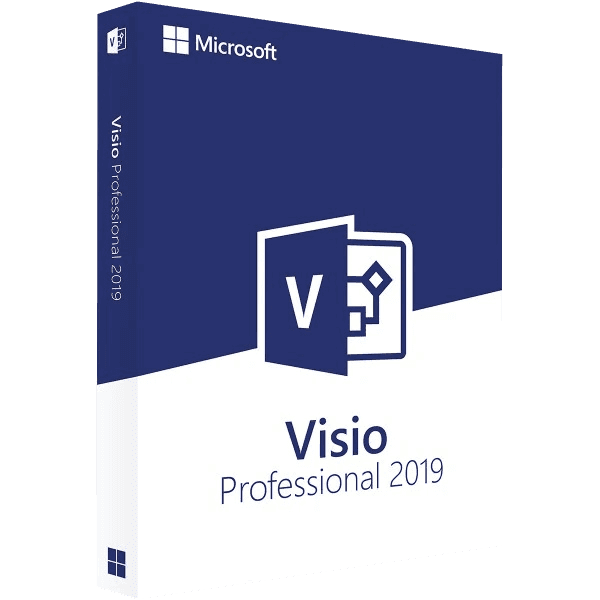

Microsoft Office Visio Professional 2019

Trusted Shops
Buyer Protection guaranteed refund
Microsoft Office Visio Professional 2019 Original Perpetual License for Windows
Best Price Guaranteed by Licensel.com, Invoice Included and Always Free Support
| Language | Multi-Language |
|---|---|
| License Duration | Perpetual (no expiry) |
| Operating System | Windows |
| Users | 1 |
Microsoft Office Visio Professional 2019 is the Microsoft application for professional diagrams and charts, and it is the least expensive of the three generations in the catalogue: it costs less than half the 2024 and opens the same .vsdx files. It is bought on its own, with a perpetual license for one Windows device.
Why choose Microsoft Office Visio Professional 2019
The choice between 2019, 2021 and 2024 almost never concerns the drawing tools, which are the same across the three generations: flowcharts, organisation charts, floor plans, network diagrams, BPMN and UML are built the same way and produce interchangeable files. It concerns two far more concrete things, the price and the Microsoft update window.
The 2019 is the cheapest of the three and makes sense in two precise situations: when you need to open, correct and maintain a library of .vsdx files that already exists, and when you draw a handful of diagrams a year and spending more than twice as much is not justified. Microsoft support for this generation closed in October 2025: the program keeps working and the license stays perpetual, but it no longer receives updates. Anyone needing a generation still being followed will find the 2021 and the 2024 in the catalogue.
What Microsoft Office Visio Professional 2019 is and what it is for
Microsoft Office Visio Professional 2019 is the Microsoft diagram editor in the Professional edition, the one that on top of the basic shapes brings the technical stencils: network diagrams with device icons, scaled floor plans, database diagrams obtained by reverse engineering, BPMN 2.0 and UML 2.5.
Data Visualizer builds a flowchart starting from an Excel table and keeps the link: when the table changes, the drawing updates. Files are saved in .vsdx and exported to PDF or image, so even those without Visio can read them. The license is perpetual for one Windows device and has no expiry.
A flow chart that is understood at first glance
- One single starting point, at the top
Readers look for the beginning at the top left. Two starts or a beginning in the middle of the page force people to study the drawing instead of reading it. - One direction only, kept to the end
Top to bottom or left to right. A diagram that changes direction halfway is the number one cause of meetings where nobody understands. - Questions have two exits, both labelled
A diamond with only one arrow out is not a question. And the yes and no labels have to be written, because without them the reader guesses. - Every shape has a precise meaning
Rectangle for the action, diamond for the choice, oval for start and end. Using them at random because they look better makes the drawing unreadable to anyone who knows the convention. - The phrases inside the shapes begin with a verb
Check the payment says what happens. Payment says nothing: it is a label, not a step. - If it does not fit on one page, it has to be split
Beyond twenty shapes the diagram stops communicating. You create a second linked sheet and leave a reference in place of the tangle. - Connectors hook onto the shapes, they are not laid on top
If they are really hooked on, moving a block drags the arrows. Otherwise you have a drawing that falls apart at the first change. - What a diagram must not do
It must not contain the exceptions and the special cases. Those belong in the text beside it: the drawing tells the normal path.
Feature overview of Microsoft Office Visio Professional 2019
| Feature | Included |
|---|---|
| Flowcharts and process maps | ✔ |
| Org charts generated from data | ✔ |
| Floor plans and space layouts | ✔ |
| Network diagrams and technical schematics | ✔ |
| BPMN 2.0 and UML notations | ✔ |
| Linking diagrams to Excel data | ✔ |
| Diagram validation against rules | ✔ |
| Export to PDF and images | ✔ |
Comparison: Visio Professional 2019 and the later generations
| Feature | Visio 2019 | Visio 2021 | Visio 2024 |
|---|---|---|---|
| Drawing tools: flowcharts, org charts, floor plans | ✔ | ✔ | ✔ |
| Technical stencils: network, database, BPMN, UML | ✔ | ✔ | ✔ |
| Data Visualizer linked to Excel | ✔ | ✔ | ✔ |
| .vsdx files interchangeable between generations | ✔ | ✔ | ✔ |
| Microsoft updates | Closed in October 2025 | Until October 2026 | Until October 2029 |
| Supported on Windows Server 2022 | ✘ | ✔ | ✔ |
| Perpetual license for one device | ✔ | ✔ | ✔ |
| Price positioning | Lowest | Middle | Highest |
System requirements
Microsoft Office Visio Professional 2019 is designed for Windows 10 and also runs on Windows 11, which is however not among the officially supported configurations for this version. For detailed requirements see the "Requirements" tab on the product page.
Why are licenses priced so low?
As these are retail licenses previously owned and decommissioned by the former holder in accordance with EU Court ruling C-128/2011, they can be purchased at a more affordable price. These official licenses are fully compliant and guaranteed at the best price on the market.
What do I receive after purchase?
By purchasing this product you will receive the official download of the software from the Microsoft website, the license for activation and complete instructions for a correct installation.
Advantages of the Licensel License
- Fast delivery by email
You receive the license and the download link within a few minutes of your order. - Always free support
Our technicians assist you via Live Chat and email, at no additional cost. - Invoice included
The invoice is issued automatically once the purchase is complete. - Purchase protected by Trusted Shops
As a Trusted Shops partner shop, your order is protected by the official buyer guarantee.
How to buy and activate
- Choose your edition
Select the version you need and complete your order in a few clicks. - Receive the license by email
Within a few minutes you receive the official download link and the license for activation. - Install and activate
Download the software from the manufacturer's official website and enter the license to complete activation. - Support included
For any question our technicians are available via Live Chat and email.
How to download and install Microsoft Office Visio Professional 2019
After purchase you receive by email the license and the official Microsoft download link for Microsoft Office Visio Professional 2019. Download the installation package, run it and enter the license you received to complete activation. Installation takes a few minutes and coexists with the other Office applications already present. If you prefer to be guided step by step, our technicians can assist you.
Need help with installation?
No problem: our technicians are available via the Live Chat at the bottom right of the website to assist you in real time.
Frequently asked questions
What is the difference from the 2021 and 2024 versions?
Is it included in the Office suite?
Does it work on Mac?
Is the license perpetual?
Until when is it supported?
DIGITAL Delivery
Guaranteed instant delivery
Customer Support
Always available.
Money-back guarantee
Total satisfaction guarantee.
TrustedShops
Buy with certified confidence.