
















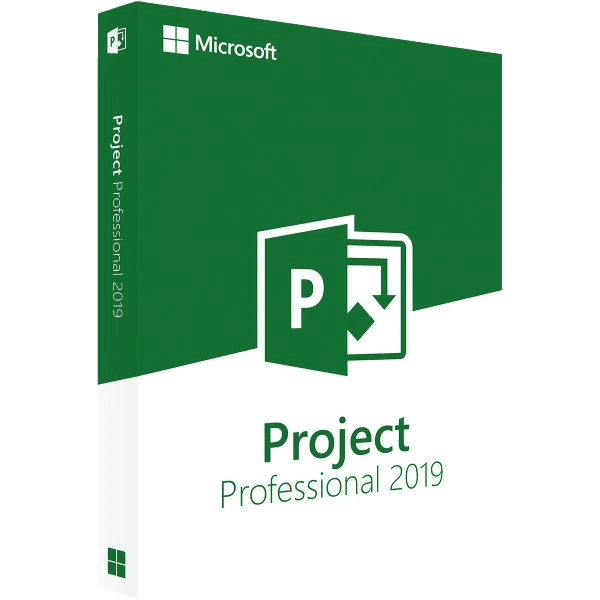

Microsoft Project Professional 2019

Trusted Shops
Buyer Protection guaranteed refund
Microsoft Project Professional 2019 Original Perpetual License for Windows
Fast Email Delivery, Official Guarantee and Free Technical Support
| Language | Multi-Language |
|---|---|
| License Duration | Perpetual (no expiry) |
| Operating System | Windows |
| Users | 1 |
Microsoft Project Professional 2019 is the Microsoft project management application in the least expensive of the three generations in the catalogue: it costs less than half the 2024 and calculates critical path, dependencies and costs in exactly the same way. It is bought on its own, with a perpetual license for one Windows device.
Why choose Microsoft Project Professional 2019
The scheduling engine of Project did not change between 2019 and 2024: the same tasks, the same dependencies and the same calendar produce the same dates in all three generations, and an .mpp file written with one opens with the others. Anyone planning alone, on their own PC, and delivering the result as PDF or Excel gets no different schedule from the more recent generation.
That is why the 2019 remains the most reasonable way into a real planning tool, instead of keeping a project on a spreadsheet that has to be recalculated by hand at every delay. One thing to bear in mind: Microsoft support for this generation closed in October 2025, so no more updates arrive. The program keeps working and the license stays perpetual; anyone wanting a generation still followed will find the 2021 and the 2024.
What Microsoft Project Professional 2019 is and what it is for
Microsoft Project Professional 2019 is the complete edition of the program, the one that not only draws the plan but holds it up: move one date and everything depending on it is recalculated, anyone left with two jobs on the same day is flagged, and the delay is priced against how the project started.
The Professional edition adds Team Planner to the Standard one, the view showing people on one row each and letting you move a task from one to another by dragging it, and the handling of master projects with linked subprojects. Files are saved in .mpp and exported to PDF, Excel or image. Perpetual license for one Windows device.
The bar chart: what it really shows and what it hides
- The bars are not the dates you decided
Every bar is the result of a calculation on duration, constraints and links. If a bar does not move where you want, it is because something is holding it back, not because the program is wrong. - Duration and work are two different things
A task can last five days and cost eight hours of work. Confusing the two is the mistake that inflates plans and frightens managers. - Links say what waits for what
Linking the tasks instead of typing the dates by hand is the difference between a plan that updates itself and a drawing that has to be redone at every delay. - The critical path is the chain that decides the end
It is the sequence of tasks where one day's delay becomes one day's delay on the project. Everything else has slack, and knowing which is which changes the week's priorities. - Slack is information, not waste
A task with four days in hand can slip with no damage. Reducing all the slack to zero makes the plan pretty to look at and impossible to keep. - Rigid constraints should be used sparingly
Fixing a compulsory start date blocks the automatic calculation. They are for real deadlines, not for expressing a wish. - Milestones last no time at all, and are useful all the same
They mark the moment something is ready. They are the points people talk about in meetings, and they hold the reading of a long plan together. - What the chart does not say
It does not say whether the estimates are realistic. A well made plan with invented durations remains a plan of invented durations.
Feature overview of Microsoft Project Professional 2019
| Feature | Included |
|---|---|
| Gantt chart with dependencies between tasks | ✔ |
| Automatic and manual scheduling | ✔ |
| Resource assignment and levelling | ✔ |
| Critical path and slack | ✔ |
| Baselines to compare plan and progress | ✔ |
| Costs, budget and hours worked | ✔ |
| Ready reports and dashboards | ✔ |
| Export to PDF, Excel and images | ✔ |
Comparison: Project Professional 2019 and the later generations
| Feature | Project 2019 | Project 2021 | Project 2024 |
|---|---|---|---|
| Gantt, dependencies, critical path, costs | ✔ | ✔ | ✔ |
| Team Planner and master projects | ✔ | ✔ | ✔ |
| Dates computed by the scheduling engine | Identical | Identical | Identical |
| .mpp files interchangeable between generations | ✔ | ✔ | ✔ |
| Microsoft updates | Closed in October 2025 | Until October 2026 | Until October 2029 |
| Supported on Windows Server 2022 | ✘ | ✔ | ✔ |
| Perpetual license for one device | ✔ | ✔ | ✔ |
| Price positioning | Lowest | Middle | Highest |
System requirements
Microsoft Project Professional 2019 is designed for Windows 10 and also runs on Windows 11, which is however not among the officially supported configurations for this version. For detailed requirements see the "Requirements" tab on the product page.
Why are licenses priced so low?
As these are retail licenses previously owned and decommissioned by the former holder in accordance with EU Court ruling C-128/2011, they can be purchased at a more affordable price. These official licenses are fully compliant and guaranteed at the best price on the market.
What do I receive after purchase?
By purchasing this product you will receive the official download of the software from the Microsoft website, the license for activation and complete instructions for a correct installation.
Advantages of the Licensel License
- Fast delivery by email
You receive the license and the download link within a few minutes of your order. - Always free support
Our technicians assist you via Live Chat and email, at no additional cost. - Invoice included
The invoice is issued automatically once the purchase is complete. - Trusted Shops partner shop
The official Trusted Shops guarantee protects every purchase made on Licensel.
How to buy and activate
- Choose your edition
Select the version you need and complete your order in a few clicks. - Receive the license by email
Within a few minutes you receive the official download link and the license for activation. - Install and activate
Download the software from the manufacturer's official website and enter the license to complete activation. - Support included
For any question our technicians are available via Live Chat and email.
How to download and install Microsoft Project Professional 2019
After purchase you receive by email the license and the official Microsoft download link for Microsoft Project Professional 2019. Download the installation package, run it and enter the license you received to complete activation. Installation takes a few minutes and coexists with the other Office applications already present. If you prefer to be guided step by step, our technicians can assist you.
Need help with installation?
No problem: our technicians are available via the Live Chat at the bottom right of the website to assist you in real time.
Frequently asked questions
What is the difference from the 2021 and 2024 versions?
Is it included in the Office suite?
Does it work on Mac?
Is the license perpetual?
Until when is it supported?
DIGITAL Delivery
Guaranteed instant delivery
Customer Support
Always available.
Money-back guarantee
Total satisfaction guarantee.
TrustedShops
Buy with certified confidence.