












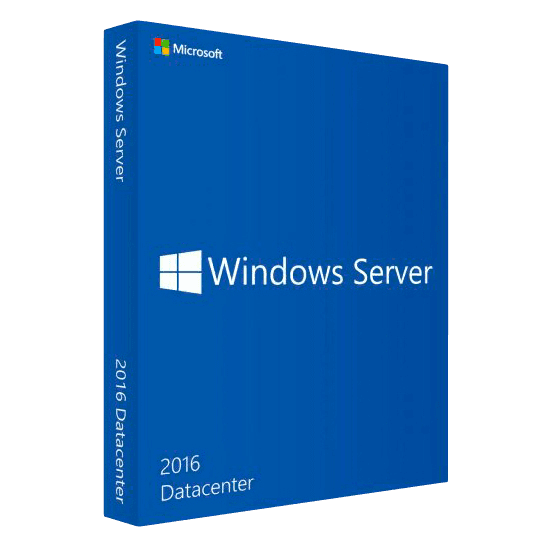
Microsoft Server Datacenter 2016

Trusted Shops
Buyer Protection guaranteed refund
Windows Server Datacenter 2016 Original Perpetual License
Trusted Shops Guarantee, Fast Email Delivery and Technical Support Included
| Language | Multi-Language |
|---|---|
| Validity | Perpetual (no expiry) |
| Edition | Datacenter |
| Servers | 1 server |
Windows Server Datacenter 2016 is the Windows Server edition with no limit on the number of virtual machines, in the cheapest release in the catalogue. On top of the network roles it brings the storage and networking functions reserved for this edition, the ones you need once there is more than one server and they have to hold each other up. Perpetual license for one physical server.
Why choose Windows Server Datacenter 2016
The difference between Standard and Datacenter comes down to a number, and that number is how many instances you can start on top of the same hardware. Anyone running three on a host, the domain controller, the business software server and the test machine, is already outside the Standard edition; and if the host has the memory and disks to hold eight or ten, Standard forces you to buy several licenses of the same system.
The Datacenter 2016 is the cheapest way to close that arithmetic on an existing host: one license, all the virtual machines the hardware can carry. Microsoft has set January 2027 as the end of extended support for this release, so it suits a host that will be replaced by that date; for a newly bought one the catalogue has the 2019, the 2022 and the 2025.
What Windows Server Datacenter 2016 is and what it is for
Windows Server Datacenter 2016 contains everything in the Standard edition, Active Directory domain, file and print, DNS, DHCP, remote access and IIS, and removes the limit on virtual machines: on the same host as many can run as the processor, memory and disks will carry.
Three functions covering storage and networking are exclusive to this edition: Storage Spaces Direct, which pools the disks of several nodes into a single shared volume without external storage, Storage Replica with no volume limits towards a second site, and software-defined networking. User access is licensed separately with the Windows Server CALs.
How virtual machines are counted in the licensing
- The hardware is licensed, not the virtual machines
The license covers the physical server running the hypervisor. With Datacenter, how many virtual machines you put on top does not change the count. - The host system may not count
If the system installed on the hardware runs Hyper-V only, and no other role, that installation does not consume one of the authorised virtual machines. - With Standard you count in pairs
The Standard edition authorises two virtual machines. Four need two licenses on the same server, six need three: from a certain point on, Datacenter costs less. - Switching a virtual machine off frees nothing
The count looks at the machines assigned to that server, not at those powered on at a given moment. A machine that is off but configured stays in the count. - Moving a machine to another host requires that host licensed
In a cluster every node that can host a virtual machine has to be fully licensed, even if that machine only passes through during a maintenance window. - Linux inside Hyper-V consumes no Windows licenses
Virtual machines with an operating system other than Windows are outside the count: the Windows Server license covers Windows systems. - The CALs stay separate and do not change
The number of virtual machines does not touch the CALs: those are counted on the people or devices using the services, not on the servers. - Moving from Standard to Datacenter
There is no in-place upgrade on the fly: you buy the Datacenter license and reactivate the server, without reinstalling the system.
Feature overview of Windows Server Datacenter 2016
| Feature | Included |
|---|---|
| No count of virtual machines to keep | ✔ |
| Virtual machines shielded from whoever administers the host | ✔ |
| Containers isolated like a virtual machine | ✔ |
| Virtual switch with traffic control | ✔ |
| Memory assigned dynamically to the running machines | ✔ |
| Migration of a machine without stopping it | ✔ |
| Replicas of a machine towards a second site | ✔ |
| License calculated on the server's physical cores | ✔ |
Comparison: Datacenter 2016 and Standard 2016
| Aspect | Datacenter 2016 | Standard 2016 |
|---|---|---|
| Virtual machines included in the license | Unlimited | 2 |
| Licenses needed for eight virtual machines | 1 | 4 |
| Storage Spaces Direct | ✔ | ✘ |
| Storage Replica without limits | ✔ | ✘ |
| Software-defined networking | ✔ | ✘ |
| Domain, files, printing, DNS, DHCP and IIS | ✔ | ✔ |
| End of Microsoft extended support | January 2027 | January 2027 |
| Windows Server CALs to be bought separately | ✔ | ✔ |
System requirements
Windows Server Datacenter 2016 requires a 1.4 GHz 64-bit processor, at least 2 GB of RAM for the installation with a graphical interface and 32 GB of disk space, plus a Gigabit network adapter. In production the resources should be sized on the active roles and the number of virtual machines. For detailed requirements see the "Requirements" tab on the product page.
Why are licenses priced so low?
As these are retail licenses previously owned and decommissioned by the former holder in accordance with EU Court ruling C-128/2011, they can be purchased at a more affordable price. These official licenses are fully compliant and guaranteed at the best price on the market.
What do I receive after purchase?
By purchasing this product you will receive the official download of the software from the Microsoft website, the license for activation and complete instructions for a correct installation.
Advantages of the Licensel License
- Fast delivery by email
You receive the license and the download link within a few minutes of your order. - Always free support
Our technicians assist you via Live Chat and email, at no additional cost. - Invoice included
The invoice is issued automatically once the purchase is complete. - Purchase protected by Trusted Shops
As a Trusted Shops partner shop, your order is protected by the official buyer guarantee.
How to buy and activate
- Choose your edition
Select the version you need and complete your order in a few clicks. - Receive the license by email
Within a few minutes you receive the official download link and the license for activation. - Install and activate
Download the software from the manufacturer's official website and enter the license to complete activation. - Support included
For any question our technicians are available via Live Chat and email.
How to download and install Windows Server Datacenter 2016
After purchase you receive by email the license and the link to the official download of the Windows Server Datacenter 2016 ISO image. Prepare a bootable USB stick or mount the image on the server's remote management controller, start the machine from the media and choose between the installation with Desktop Experience and the Core installation without a graphical interface. Once the procedure is complete, enter the license for activation and configure the roles from Server Manager.
Need help with installation?
No problem: our technicians are available via the Live Chat at the bottom right of the website to assist you in real time.
Frequently asked questions
What is the difference from the Standard edition?
Are the CALs included in the license?
Until when is this version supported?
Can I install it without a graphical interface?
Is the license perpetual?
DIGITAL Delivery
Guaranteed instant delivery
Customer Support
Always available.
Money-back guarantee
Total satisfaction guarantee.
TrustedShops
Buy with certified confidence.