
















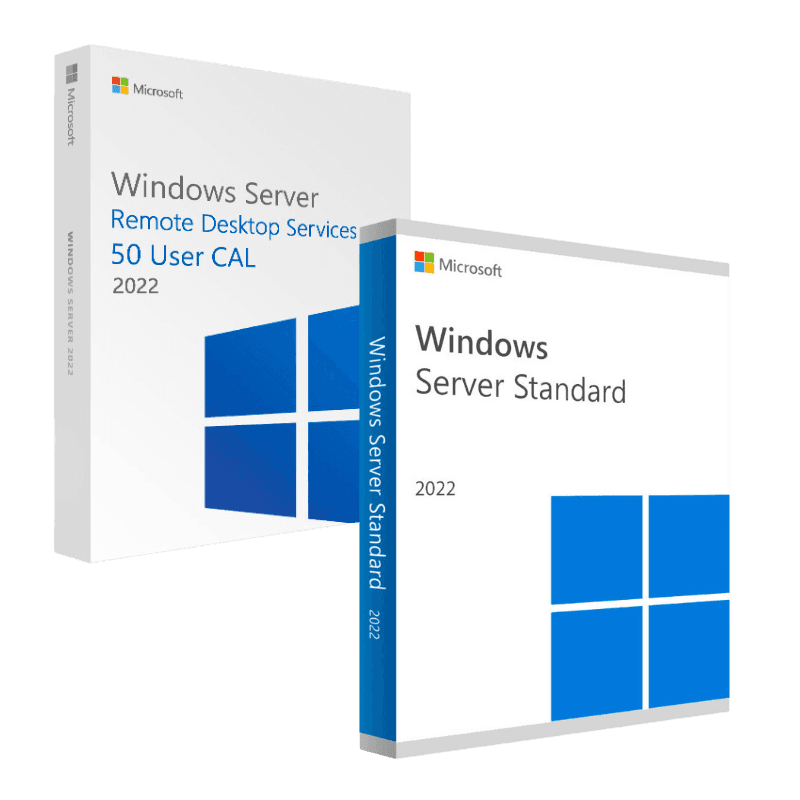
Microsoft Server RDS 2022 + Server Standard 2022

Trusted Shops
Buyer Protection guaranteed refund
Microsoft Server RDS 2022 + Server Standard 2022 Original Perpetual License
Best Price Guaranteed by Licensel.com, Invoice Included and Always Free Support
| Language | Multi-Language |
|---|---|
| Validity | Perpetual (no expiry) |
| Content | Windows Server 2022 Standard + RDS |
| User CALs | 50 |
The Microsoft Server RDS 2022 + Server Standard 2022 package brings together in a single purchase the Windows Server 2022 Standard license and 50 user CALs for Remote Desktop Services: everything needed to set up a server for fifty people working in remote sessions. Both licenses are perpetual and are delivered with their respective product keys.
Why choose Microsoft Server RDS 2022 + Server Standard 2022
When ten people have to use the same business application, the alternative to installing it ten times is installing it once on a server and letting everyone work inside it. That is the Remote Desktop Services model: the program runs on the server, and only the screen image travels to the user's device.
The practical advantage is maintenance: an update is applied once and applies to everyone, the data never leaves the server, and a broken computer is replaced without reinstalling anything. Older devices become usable again too, because the workload sits on the central machine.
What Microsoft Server RDS 2022 + Server Standard 2022 is and what it is for
Microsoft Server RDS 2022 + Server Standard 2022 provides the client access licenses for Remote Desktop Services, the technology with which users connect to a Windows server and run applications or a full desktop on it. The connection is made from the Remote Desktop client on Windows, macOS, iOS and Android or from the browser.
The package also includes the operating system: Windows Server 2022 Standard with Active Directory, file server, IIS and two Hyper-V virtual machines included. What still has to be arranged separately are the Windows Server CALs for access to the services and the licenses of the applications published on the server.
The roles to enable, and the order they go in
- First the system joins the domain, then everything else
Adding the services to a machine that is not yet part of the domain forces you to redo half the configuration. It is the first step, not the third. - The services do not go on the domain controller
It is the most tempting shortcut and the most inadvisable: it puts the users inside the machine guarding the accounts. If there is only one server, you use a virtual machine. - The service that distributes the sessions should be installed even with a single server
It seems superfluous while there is one machine. When a second is added, having it already there saves rebuilding the setup. - The licensing service can sit elsewhere
It does not have to run on the same machine hosting the sessions. In many networks it sits on the domain controller, and that is a reasonable choice. - Access from the internet goes through a service made for it
There is a role meant to expose the sessions outside in a protected way, with the traffic wrapped. It is the correct alternative to opening the port on the router. - Programs are installed after enabling the services
A management program put on beforehand registers itself for one user only and has to be reinstalled. The order saves a day of support. - The profile folders are prepared before the first sign-in
If the first user gets in before the shared folder exists, their profile is created locally and then fights with the network one. - What has to be checked before opening to the users
That printing works, that the programs start and that any user, not the administrator, manages to work. Tests done as administrator prove nothing.
Feature overview of Microsoft Server RDS 2022 + Server Standard 2022
| Feature | Included |
|---|---|
| Two virtual machines included in the system's license | ✔ |
| Shared folders with space quotas per user | ✔ |
| Domain services for managing accounts and permissions | ✔ |
| Centralised printing for all the workstations | ✔ |
| Data deduplication on the shared volumes | ✔ |
| Distribution of the updates from the server to the workstations | ✔ |
| Access logs that can be consulted over time | ✔ |
| Volume backup with the function built into the system | ✔ |
Comparison: the licenses needed for a Remote Desktop server
| License | What it is for | In this product |
|---|---|---|
| Windows Server (operating system) | Running the server | Included |
| Windows Server CAL | Authorising access to the server's services | Bought separately |
| RDS user CAL | Authorising the remote desktop session | Included |
| Licenses of the published applications | Office or business software run on the server | Bought separately |
| Remote Desktop Session Host role | Hosting the users' sessions | Part of the operating system |
| Remote Desktop Gateway role | Access over HTTPS without a VPN | Part of the operating system |
| Connection Broker role | Distributing sessions across several hosts | Part of the operating system |
| Remote Desktop client | Connecting from PC, Mac, tablet and phone | Free |
System requirements
The CALs require a server running Windows Server 2022 with the Remote Desktop Services role enabled. RDS CALs must match the server version or be more recent: those from an earlier generation are not valid on a newer server. For detailed requirements see the "Requirements" tab on the product page.
Why are licenses priced so low?
As these are retail licenses previously owned and decommissioned by the former holder in accordance with EU Court ruling C-128/2011, they can be purchased at a more affordable price. These official licenses are fully compliant and guaranteed at the best price on the market.
What do I receive after purchase?
By purchasing this product you will receive the official download of the software from the Microsoft website, the license for activation and complete instructions for a correct installation.
Advantages of the Licensel License
- Fast delivery by email
You receive the license and the download link within a few minutes of your order. - Always free support
Our technicians assist you via Live Chat and email, at no additional cost. - Invoice included
The invoice is issued automatically once the purchase is complete. - Purchase protected by Trusted Shops
As a Trusted Shops partner shop, your order is protected by the official buyer guarantee.
How to buy and activate
- Choose your edition
Select the version you need and complete your order in a few clicks. - Receive the license by email
Within a few minutes you receive the official download link and the license for activation. - Install and activate
Download the software from the manufacturer's official website and enter the license to complete activation. - Support included
For any question our technicians are available via Live Chat and email.
How to download and install Microsoft Server RDS 2022 + Server Standard 2022
After purchase you receive by email the license and the instructions. On the server, install from Server Manager the Remote Desktop Services and Remote Desktop Licensing roles, activate the license server, then install the CAL pack by entering the license you received and choosing the per user mode. Finally set the license server in the session host policies. Our technicians can guide you through the configuration.
Need help with installation?
No problem: our technicians are available via the Live Chat at the bottom right of the website to assist you in real time.
Frequently asked questions
Are Windows Server CALs needed as well?
How many CALs are included?
Are they user or device CALs?
Are the published applications included?
Can I use them on a different server version?
DIGITAL Delivery
Guaranteed instant delivery
Customer Support
Always available.
Money-back guarantee
Total satisfaction guarantee.
TrustedShops
Buy with certified confidence.