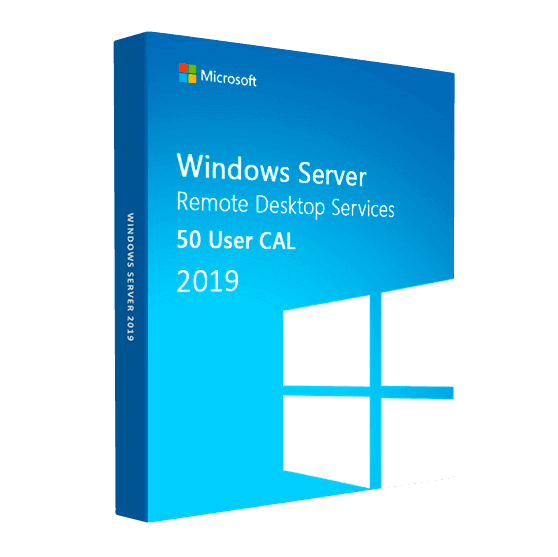
Microsoft Server Remote Desktop Services 2019

Trusted Shops
Buyer Protection guaranteed refund
Microsoft Server Remote Desktop Services 2019 (50 Cal) Original Perpetual License
Trusted Shops Guarantee, Fast Email Delivery and Technical Support Included
| Language | Multi-Language |
|---|---|
| Validity | Perpetual (no expiry) |
| Operating System | Windows Server 2019 |
| User CALs | 10, 20 or 50 depending on the chosen variant |
Microsoft Server Remote Desktop Services 2019 (50 Cal) provides the user CALs for Remote Desktop Services on a server running Windows Server 2019: each license authorises one person to connect to the server and run applications or a full desktop on it. Variants of 10, 20 and 50 CALs are available, all with a perpetual license. The license is delivered with its product key.
Why choose Microsoft Server Remote Desktop Services 2019 (50 Cal)
CALs for Remote Desktop Services are chosen by looking at the server's release year, not the current one: a CAL is not valid on a Windows Server newer than itself. These are 2019 CALs, so they are for those running a server with Windows Server 2019 installed who want to authorise remote sessions on that machine.
They are the least expensive of the three in the catalogue, and they make sense as long as the server stays the same. If a move to Windows Server 2022 or 2025 is planned, it is better to take the CALs of that release directly: they also work on the 2019 server, while the reverse is not true. Extended support for Windows Server 2019 ends in January 2029.
What Microsoft Server Remote Desktop Services 2019 (50 Cal) is and what it is for
CALs for Remote Desktop Services exist in two forms, per user and per device, and the choice is made once because on the server the two do not mix. These are user CALs: they are assigned to people, and whoever has one connects from the office computer, from the laptop at home and from the phone without using up others.
The per-device form is only worth it in the opposite case, when several shifts of different people take turns on the same computer: there you license the workstation and not whoever uses it. In all other cases, and particularly when working from outside too, user CALs cost less because they follow the person. They are perpetual and valid on a server with Windows Server 2019.
Sizing the server: how much memory and how many processors are needed
- Memory is nearly always the first limit
Every open session uses its share, and when the memory runs out the server starts writing to disk and slows down for everybody at once. - The count is made on the work, not on the people
Somebody writing documents and reading mail takes a fraction of somebody keeping a management program, twenty browser tabs and a hundred thousand row spreadsheet open. - What the system needs is always added to the total
The server needs its own memory, on top of the sessions'. Forgetting it is the classic way to come up short on the first Monday morning. - A solid state disk is not a luxury here
Twenty people opening files together make demands on the disk that a spinning disk cannot take. It is the spending that is felt most. - User profiles have to be kept in check
If every person carries gigabytes of documents around in their profile, signing in becomes slow for everybody. The files sit on a shared folder, not inside the profile. - You measure before buying, if the server already exists
The system tools say how much memory and processor are really used in the busy hour. An hour of observation is worth more than any estimate. - Two small servers are better than one big one
If the single one stops, the company stops. Two machines sharing the sessions let people work even during maintenance. - What adding memory does not solve
A management program that is slow because it queries the database badly stays slow on any server. There the bottleneck is elsewhere.
Feature overview of Microsoft Server Remote Desktop Services 2019 (50 Cal)
| Feature | Included |
|---|---|
| Remote Desktop Services user CALs | ✔ |
| Full desktop sessions hosted by the server | ✔ |
| RemoteApp: publishing individual applications | ✔ |
| Remote Desktop Gateway over HTTPS | ✔ |
| Connection Broker across several session hosts | ✔ |
| Clients for Windows, macOS, iOS, Android and browser | ✔ |
| Activation from Remote Desktop Licensing Manager | ✔ |
| Perpetual license with no expiry | ✔ |
Comparison: the licenses needed for a Remote Desktop server
| License | What it is for | In this product |
|---|---|---|
| Windows Server 2019 (operating system) | Making the server run | To be bought separately |
| Windows Server CAL | Authorising access to the server services | To be bought separately |
| RDS user CAL 2019 | Authorising the remote desktop session | Included |
| Licenses of the published applications | Using the programs inside the session | To be bought separately |
| Valid on Windows Server 2019 | The server they are meant for | ✔ |
| Valid on Windows Server 2022 or 2025 | Servers of later releases | ✘ |
| License duration | Perpetual, as long as the server is in service | ✔ |
System requirements
The CALs require a server running Windows Server 2019 with the Remote Desktop Services role enabled. RDS CALs must match the server version or be more recent: those from an earlier generation are not valid on a newer server. For detailed requirements see the "Requirements" tab on the product page.
Why are licenses priced so low?
As these are retail licenses previously owned and decommissioned by the former holder in accordance with EU Court ruling C-128/2011, they can be purchased at a more affordable price. These official licenses are fully compliant and guaranteed at the best price on the market.
What do I receive after purchase?
By purchasing this product you will receive the official download of the software from the Microsoft website, the license for activation and complete instructions for a correct installation.
Advantages of the Licensel License
- Fast delivery by email
You receive the license and the download link within a few minutes of your order. - Always free support
Our technicians assist you via Live Chat and email, at no additional cost. - Invoice included
The invoice is issued automatically once the purchase is complete. - Purchase protected by Trusted Shops
As a Trusted Shops partner shop, your order is protected by the official buyer guarantee.
How to buy and activate
- Choose your edition
Select the version you need and complete your order in a few clicks. - Receive the license by email
Within a few minutes you receive the official download link and the license for activation. - Install and activate
Download the software from the manufacturer's official website and enter the license to complete activation. - Support included
For any question our technicians are available via Live Chat and email.
How to download and install Microsoft Server Remote Desktop Services 2019 (50 Cal)
After purchase you receive by email the license and the instructions. On the server, install from Server Manager the Remote Desktop Services and Remote Desktop Licensing roles, activate the license server, then install the CAL pack by entering the license you received and choosing the per user mode. Finally set the license server in the session host policies. Our technicians can guide you through the configuration.
Need help with installation?
No problem: our technicians are available via the Live Chat at the bottom right of the website to assist you in real time.
Frequently asked questions
Are Windows Server CALs needed as well?
How many CALs are included?
Are they user or device CALs?
Are the published applications included?
Can I use them on a different server version?
DIGITAL Delivery
Guaranteed instant delivery
Customer Support
Always available.
Money-back guarantee
Total satisfaction guarantee.
TrustedShops
Buy with certified confidence.