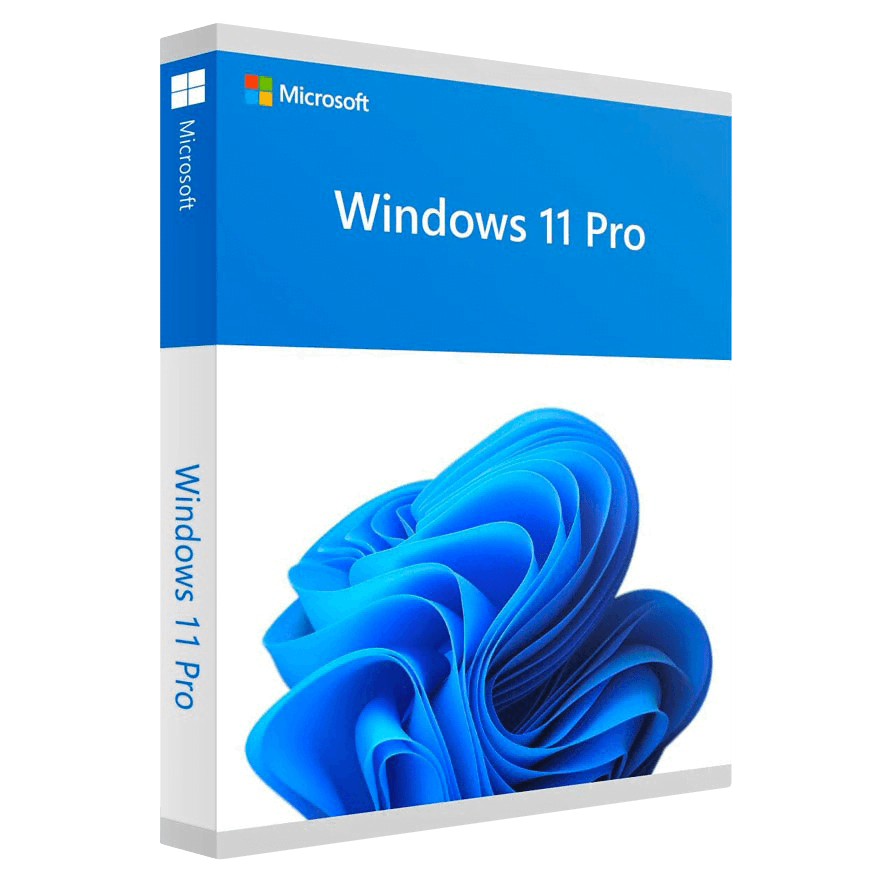
Microsoft Windows 11 Pro

Trusted Shops
Buyer Protection guaranteed refund
Microsoft Windows 11 Pro Original Perpetual License
Fast Email Delivery, Official Guarantee and Free Technical Support
| Language | Multi-Language |
|---|---|
| Validity | Perpetual (no expiry) |
| Edition | Pro |
| PCs | 1 or 5, depending on the chosen variant |
Microsoft Windows 11 Pro is the professional edition of the latest generation of Windows, with a perpetual license that never expires. To the new interface it adds BitLocker for encrypting the disk, incoming Remote Desktop for reaching the workstation from outside, and Hyper-V with Windows Sandbox for trying a program without touching the system, as well as joining a company domain. It is the recommended edition for work computers. The license is delivered with its product key.
Why choose Microsoft Windows 11 Pro
On a laptop that leaves the office, BitLocker is the difference between a lost device and a data breach: without credentials the disk stays unreadable even when mounted on another computer. That is the main reason Pro is not a luxury on a company machine.
Windows Sandbox adds something Home does not have: a disposable Windows environment that opens in a window, where you can try an unknown program or a suspicious attachment. When it is closed it is destroyed along with everything installed inside it.
What Microsoft Windows 11 Pro is and what it is for
Windows 11 Pro is the version intended for professionals and businesses. Compared with Home the interface and program compatibility are identical: what changes is the security, management and virtualisation toolkit, which also includes Group Policy and control over update delivery.
Like the whole 11 generation, it requires TPM 2.0 and Secure Boot. In a business context this requirement is the basis of the most recent security functions, because the BitLocker keys are held in the TPM module itself rather than on the disk.
The professional functions people really use, and the ones you will never touch
- Disk encryption is the one everybody needs
If the laptop disappears, with no encryption anybody reads the files by taking the disk out. It is the function that alone justifies the higher edition on a machine that leaves the house. - The recovery key has to be put in safety first
You save it to the account or print it. Turning encryption on without knowing where that key is is the best way to lose your own data by yourself. - Remote connection to your own computer
It lets you get into the office machine from home and work as if you were sitting in front of it. It is the second most used function, and it needs no extra program. - Built-in virtual machines
They are for trying a doubtful program or another system without touching the real one. Whoever develops or supports uses it every day, whoever writes documents never. - The isolated environment for opening a suspicious file
A throwaway window that forgets everything on restart. For whoever receives attachments from strangers it is worth half the price on its own. - Joining a domain only concerns whoever has a domain
It is needed in companies with a server managing the accounts. At home and in small businesses it changes nothing. - Postponing the major updates
Being able to wait a few weeks before receiving a big change avoids acting as an unwitting tester. - What does not change compared to the basic edition
Speed, games, programs and appearance are identical. Whoever moves to the higher edition expecting a faster computer is disappointed.
Feature overview of Microsoft Windows 11 Pro
| Feature | Included |
|---|---|
| Signing in with your face or fingerprint | ✔ |
| Separate virtual desktops for different contexts | ✔ |
| Windows Subsystem for Linux | ✔ |
| Kiosk mode for a computer dedicated to one task | ✔ |
| Storage spaces spread across several disks | ✔ |
| Temporary pausing of the updates | ✔ |
| Clipboard history shared between devices | ✔ |
| Creation of a bootable recovery drive | ✔ |
Comparison: Windows 11 Home, Pro and Enterprise
| Feature | Home | Pro | Enterprise |
|---|---|---|---|
| Windows 11 interface and Snap Layouts | ✔ | ✔ | ✔ |
| TPM 2.0 and Secure Boot required | ✔ | ✔ | ✔ |
| Windows Update and Microsoft Defender | ✔ | ✔ | ✔ |
| BitLocker (disk encryption) | ✘ | ✔ | ✔ |
| Incoming Remote Desktop | ✘ | ✔ | ✔ |
| Hyper-V and Windows Sandbox | ✘ | ✔ | ✔ |
| Company domain and Active Directory | ✘ | ✔ | ✔ |
| AppLocker and Credential Guard | ✘ | ✘ | ✔ |
| Maximum supported RAM | 128 GB | 2 TB | 6 TB |
System requirements
Windows 11 requires a 64-bit processor with at least two cores at 1 GHz, 4 GB of RAM, 64 GB of free disk space and TPM 2.0 and Secure Boot enabled in the UEFI firmware. On many computers the TPM is already present but disabled: it is enabled from the BIOS. For detailed requirements see the "Requirements" tab on the product page.
Why are licenses priced so low?
As these are retail licenses previously owned and decommissioned by the former holder in accordance with EU Court ruling C-128/2011, they can be purchased at a more affordable price. These official licenses are fully compliant and guaranteed at the best price on the market.
What do I receive after purchase?
By purchasing this product you will receive the official download of the software from the Microsoft website, the license for activation and complete instructions for a correct installation.
Advantages of the Licensel License
- Fast delivery by email
You receive the license and the download link within a few minutes of your order. - Always free support
Our technicians assist you via Live Chat and email, at no additional cost. - Invoice included
The invoice is issued automatically once the purchase is complete. - Trusted Shops guarantee
Licensel is a Trusted Shops partner shop: every order is covered by the official buyer guarantee.
How to buy and activate
- Choose your edition
Select the version you need and complete your order in a few clicks. - Receive the license by email
Within a few minutes you receive the official download link and the license for activation. - Install and activate
Download the software from the manufacturer's official website and enter the license to complete activation. - Support included
For any question our technicians are available via Live Chat and email.
How to download and install Microsoft Windows 11 Pro
After purchase you receive by email the license and the link to the official Microsoft Media Creation Tool. The tool downloads Windows 11 and prepares a bootable USB stick or an ISO file. Start the computer from the stick for a clean installation, or run the file directly from Windows for an upgrade that keeps files and programs. When finished, enter the license you received under Settings, System, Activation.
Need help with installation?
No problem: our technicians are available via the Live Chat at the bottom right of the website to assist you in real time.
Frequently asked questions
What is the difference from Windows 11 Home?
Does my computer support Windows 11?
Can I move from Home to Pro without reinstalling?
Is the license perpetual?
How many PCs does the license cover?
DIGITAL Delivery
Guaranteed instant delivery
Customer Support
Always available.
Money-back guarantee
Total satisfaction guarantee.
TrustedShops
Buy with certified confidence.