
















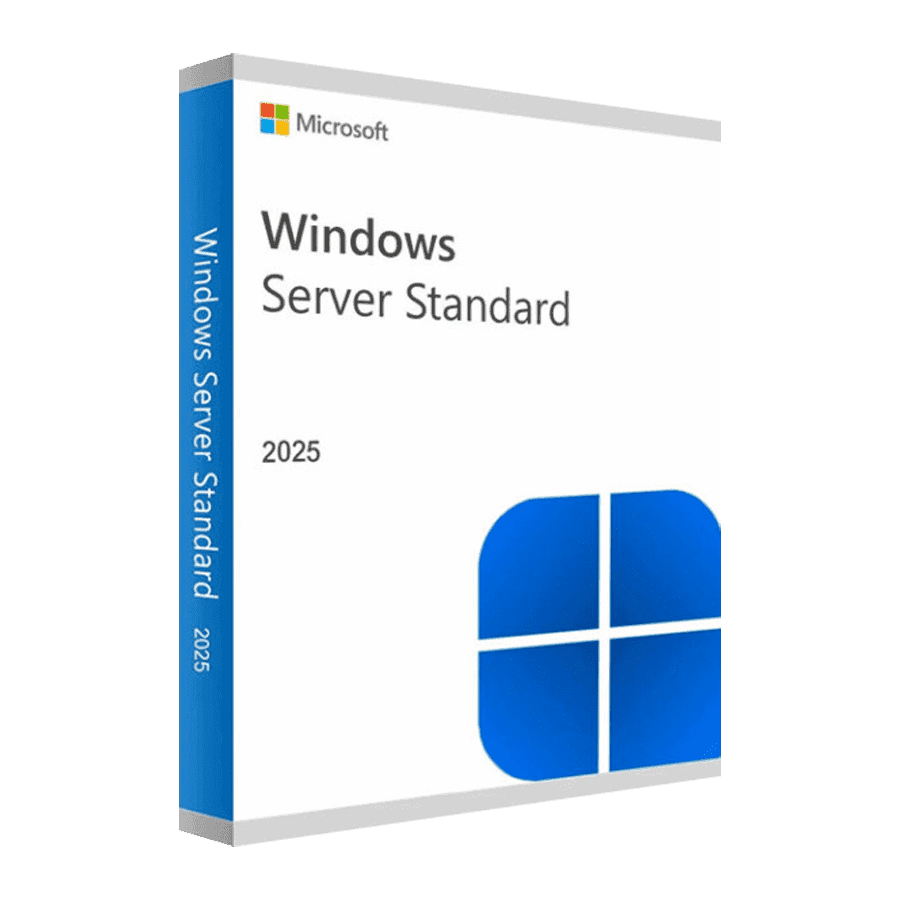
Microsoft Windows Server 2025 Standard

Trusted Shops
Buyer Protection guaranteed refund
Microsoft Windows Server 2025 Standard Original Perpetual License
Fast Email Delivery, Official Guarantee and Free Technical Support
| Language | Multi-Language |
|---|---|
| Validity | Perpetual (no expiry) |
| Edition | Standard |
| Servers | 1 server |
Microsoft Windows Server 2025 Standard is the current Windows Server release, with Microsoft support until October 2034 and the option of applying updates without restarting the server. It is designed for the physical servers of small and medium businesses, where virtual machines are few. Perpetual license for one physical server.
Why choose Microsoft Windows Server 2025 Standard
The real cost of a server is not the license, it is the restarts. Every monthly update that forces a restart means a maintenance window outside hours, somebody staffing it and a service down while the machine comes back up; on a server holding the business software or the shared folders, those half hours add up.
The 2025 allows security updates to be applied while the server stays on, with restarts scheduled a few times a year instead of every month. To this it adds the longest horizon in the catalogue, October 2034, file sharing securely reachable from outside without opening a VPN, and the ability to split a GPU between several virtual machines. It is the right release for a new server that has to stay in service for a long time.
What Microsoft Windows Server 2025 Standard is and what it is for
Microsoft Windows Server 2025 Standard covers the usual roles, Active Directory domain controller, file and print, DNS, DHCP, remote access, IIS and Hyper-V with two virtual machines included in the license, and brings the additions of this release.
Updates can be applied without restarting the machine, file sharing can work over an encrypted channel reachable from the internet without a VPN, a GPU can be partitioned between several virtual machines, and Active Directory uses a database with larger pages, which copes better with forests grown over the years. User access is licensed separately with the Windows Server CALs.
What it takes to apply updates without restarting
- How it works
The security fix is applied to the code already loaded in memory: the service is not interrupted and nobody notices, because the server does not go down. - It has to be switched on, it is not already active
The function is enabled after installation. A freshly built server keeps asking for a restart until somebody configures it. - It requires the connection to Azure Arc
On Windows Server 2025 restart-free updates go through registering the server with Azure Arc, and Microsoft bills them separately. Before counting on it, the cost has to be checked. - Not every update can be applied hot
Kernel fixes and updates touching drivers still require a restart: the function reduces the stoppages, it does not remove them. - A scheduled restart remains
Every few months the server restarts to line up with a baseline version. It is planned, instead of being suffered after every patch Tuesday. - Where it shows most
On a server holding everyone's business software or on a host with many virtual machines, where one restart stops a dozen services at once. - What it does not cover
Updates to the server firmware, the RAID controller drivers and the network cards still need a restart, and the hardware maker decides them. - The alternative if you do not enable it
A fixed maintenance window, announced to everybody, with the backup verified beforehand: it is the way that has worked for twenty years and keeps working.
Feature overview of Microsoft Windows Server 2025 Standard
| Feature | Included |
|---|---|
| Domain database with larger pages | ✔ |
| Role migration guided by a purpose-built tool | ✔ |
| Containers updated together with the system | ✔ |
| A renewed interface for managing the disks | ✔ |
| A log of the accesses to the shared folders | ✔ |
| Roles installable from the command line | ✔ |
| Administration tools updated separately | ✔ |
| Two virtual machines included in the system's license | ✔ |
Comparison: Windows Server 2025 Standard and the earlier releases
| Aspect | Standard 2025 | Standard 2022 | Standard 2019 |
|---|---|---|---|
| Updates without restarting the server | ✔ | ✘ | ✘ |
| End of Microsoft extended support | October 2034 | October 2031 | January 2029 |
| File sharing reachable from the internet without a VPN | ✔ | ✘ | ✘ |
| GPU split between several virtual machines | ✔ | ✘ | ✘ |
| Secured-core server | ✔ | ✔ | ✘ |
| Domain, files, printing, DNS, DHCP and IIS | ✔ | ✔ | ✔ |
| Hyper-V virtual machines included | 2 | 2 | 2 |
| Windows Server CALs to be bought separately | ✔ | ✔ | ✔ |
System requirements
Microsoft Windows Server 2025 Standard requires a 1.4 GHz 64-bit processor, at least 2 GB of RAM for the installation with a graphical interface and 32 GB of disk space, plus a Gigabit network adapter. In production the resources should be sized on the active roles and the number of virtual machines. For detailed requirements see the "Requirements" tab on the product page.
Why are licenses priced so low?
As these are retail licenses previously owned and decommissioned by the former holder in accordance with EU Court ruling C-128/2011, they can be purchased at a more affordable price. These official licenses are fully compliant and guaranteed at the best price on the market.
What do I receive after purchase?
By purchasing this product you will receive the official download of the software from the Microsoft website, the license for activation and complete instructions for a correct installation.
Advantages of the Licensel License
- Fast delivery by email
You receive the license and the download link within a few minutes of your order. - Always free support
Our technicians assist you via Live Chat and email, at no additional cost. - Invoice included
The invoice is issued automatically once the purchase is complete. - Trusted Shops partner shop
The official Trusted Shops guarantee protects every purchase made on Licensel.
How to buy and activate
- Choose your edition
Select the version you need and complete your order in a few clicks. - Receive the license by email
Within a few minutes you receive the official download link and the license for activation. - Install and activate
Download the software from the manufacturer's official website and enter the license to complete activation. - Support included
For any question our technicians are available via Live Chat and email.
How to download and install Microsoft Windows Server 2025 Standard
After purchase you receive by email the license and the link to the official download of the Microsoft Windows Server 2025 Standard ISO image. Prepare a bootable USB stick or mount the image on the server's remote management controller, start the machine from the media and choose between the installation with Desktop Experience and the Core installation without a graphical interface. Once the procedure is complete, enter the license for activation and configure the roles from Server Manager.
Need help with installation?
No problem: our technicians are available via the Live Chat at the bottom right of the website to assist you in real time.
Frequently asked questions
What is the difference from the Datacenter edition?
Are the CALs included in the license?
Until when is this version supported?
Can I install it without a graphical interface?
Is the license perpetual?
DIGITAL Delivery
Guaranteed instant delivery
Customer Support
Always available.
Money-back guarantee
Total satisfaction guarantee.
TrustedShops
Buy with certified confidence.