










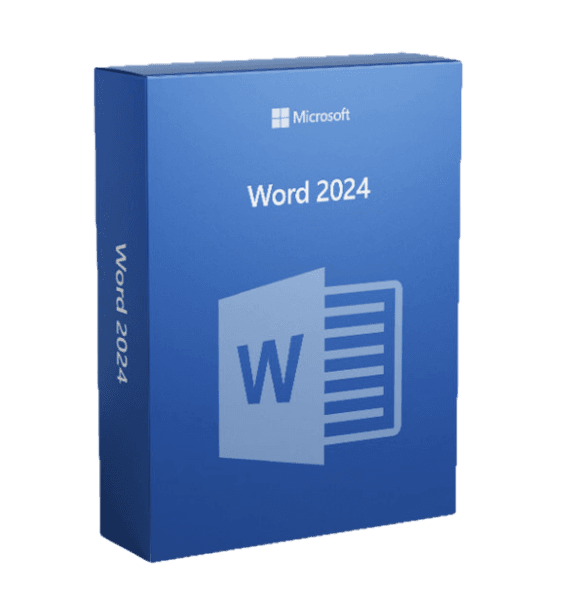

Microsoft Word 2024

Trusted Shops
Buyer Protection guaranteed refund
Microsoft Word 2024 Original Perpetual License for Windows and Mac
Fast Email Delivery, Official Guarantee and Free Technical Support
| Language | Italian, Multi-Language |
|---|---|
| License Duration | Perpetual (no expiry) |
| Operating System | Windows and macOS |
| Users | 1 |
Microsoft Word 2024 is the latest perpetual version of the Microsoft word processor, sold on its own without the suite's other applications. To the established toolkit it adds writing on the same document with several people at once and the checks that flag when a text is unreadable for anyone using a screen reader, with a perpetual license for one Windows device. It is the choice of anyone who writes documents and wants the most recent version without a subscription. The license is delivered with its product key.
Why choose Microsoft Word 2024
Anyone working only with text has no reason to pay for the whole Office suite or an annual subscription. Word 2024 answers this with the most recent version of the program under a perpetual license: you pay once and the practice's or company's most important document stays openable and editable for years.
Compared with the 2021 version, the updates mainly concern shared work: modern comments with reply threads, smoother co-authoring on documents saved in the cloud and updated accessibility tools, which flag readability problems while you write rather than once the document is finished.
What Microsoft Word 2024 is and what it is for
Microsoft Word 2024 keeps everything that makes Word the professional standard: styles and automatic tables of contents, tracked changes, version comparison, mail merge, ready templates and direct export to PDF. The DOCX format guarantees exchange with anyone, whatever version they use.
The new features focus on shared review. Comments are organised into conversations with replies, so a discussion about a paragraph stays readable instead of fragmenting into separate notes. Accessibility tools flag insufficient contrast, images without alternative text and inconsistent heading structures, requirements increasingly demanded in documents intended for public bodies.
Reviewing a document with several people without losing anything
- Track changes has to be turned on before starting to write
If it is turned on afterwards, the edits already made no longer show as edits. It is the first move, not the last. - Every person has a colour, and the name has to be set properly
Three reviewers all called User make it impossible to see who asked for what. You check the name in the settings once and it holds for ever. - A comment asks, an edit proposes
If you know how it should be written, you correct it. If you have a doubt about the content, you comment. Mixing the two forces the author to guess what you meant. - The view changes what you see, not what is there
A document that looks clean can have thirty edits hidden by the chosen view. Before sending it out you check in the view that shows everything. - Accepting everything without reading is the classic way to publish a mistake
Among the right edits there is almost always a wrong one. You go through them one by one, and on a long document that takes ten minutes. - If the versions have separated, you compare them
When two people have worked on the same file without realising, there is a function that sets the two documents side by side and shows the differences. - Before delivery you remove the hidden data
Resolved comments, the author's name and the history stay in the file. On a document going to a client they have to be removed with the check made for it. - What this function does not do
It does not stop two people working on two different copies. That discipline is set by whoever organises the work, not by the program.
Feature overview of Microsoft Word 2024
| Feature | Included |
|---|---|
| Voice dictation with automatic punctuation | ✔ |
| A reading mode with no distracting elements | ✔ |
| Translation of a paragraph or of the whole document | ✔ |
| Accessibility check before sharing | ✔ |
| Digital signature applicable to the document | ✔ |
| Automatic recovery after an unexpected closure | ✔ |
| Saving in the open format for exchange | ✔ |
| Formatting lockable in forms to be filled in | ✔ |
Comparison: Word 2021, Word 2024 and the Office suite
| Characteristic | Word 2021 | Word 2024 | Full Office suite |
|---|---|---|---|
| Word for word processing | ✔ | ✔ | ✔ |
| Excel, PowerPoint and Outlook | ✘ | ✘ | ✔ |
| Styles, tables of contents and track changes | ✔ | ✔ | ✔ |
| Modern co-authoring and comments | Basic | ✔ | ✔ |
| Updated accessibility tools | Basic | ✔ | ✔ |
| License type | Perpetual | Perpetual | Perpetual or subscription |
| Operating system | Windows | Windows and macOS | Windows and macOS |
System requirements
Microsoft Word 2024 is compatible with Windows 10, Windows 11 and macOS. For compatibility with your macOS version and the detailed requirements, see the "Requirements" tab on the product page.
Why are licenses priced so low?
As these are retail licenses previously owned and decommissioned by the former holder in accordance with EU Court ruling C-128/2011, they can be purchased at a more affordable price. These official licenses are fully compliant and guaranteed at the best price on the market.
What do I receive after purchase?
By purchasing this product you will receive the official download of the software from the Microsoft website, the license for activation and complete instructions for a correct installation.
Advantages of the Licensel License
- Fast delivery by email
You receive the license and the download link within a few minutes of your order. - Always free support
Our technicians assist you via Live Chat and email, at no additional cost. - Invoice included
The invoice is issued automatically once the purchase is complete. - Trusted Shops partner shop
The official Trusted Shops guarantee protects every purchase made on Licensel.
How to buy and activate
- Choose your edition
Select the version you need and complete your order in a few clicks. - Receive the license by email
Within a few minutes you receive the official download link and the license for activation. - Install and activate
Download the software from the manufacturer's official website and enter the license to complete activation. - Support included
For any question our technicians are available via Live Chat and email.
How to download and install Microsoft Word 2024
After purchase you receive by email the license and the official Microsoft download link. Download the installation package, run it and enter the license you received to complete activation. Installation takes a few minutes and requires no special configuration. If you prefer to be guided step by step, our technicians can assist you during installation.
Need help with installation?
No problem: our technicians are available via the Live Chat at the bottom right of the website to assist you in real time.
Frequently asked questions
What is the difference from Word 2021?
Does it also include Excel and PowerPoint?
Is the license perpetual?
Is it compatible with documents from earlier versions?
Does it work on Mac?
DIGITAL Delivery
Guaranteed instant delivery
Customer Support
Always available.
Money-back guarantee
Total satisfaction guarantee.
TrustedShops
Buy with certified confidence.





















