
















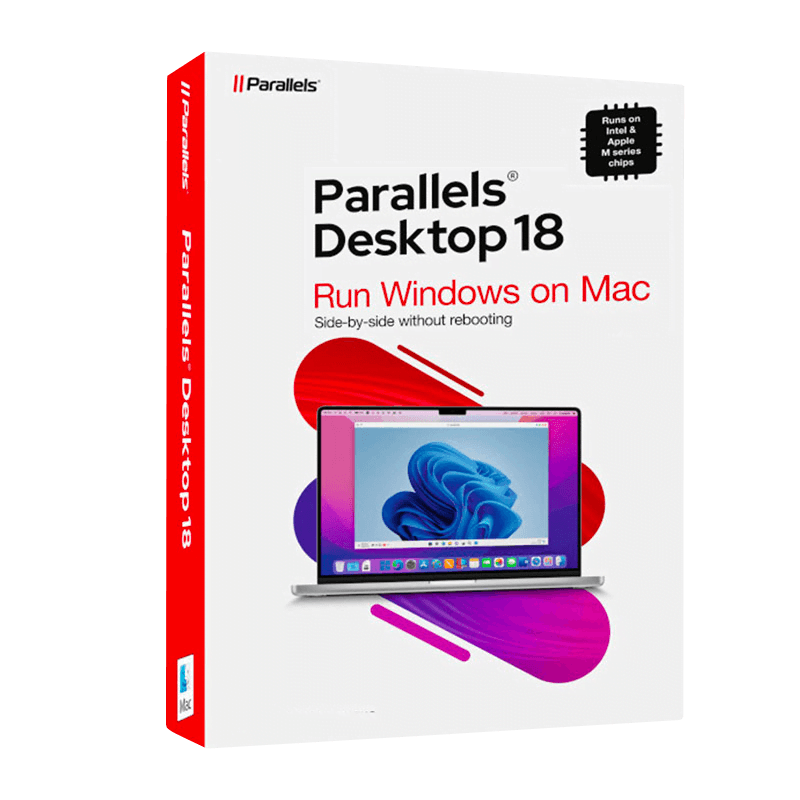

Parallels Desktop Pro 18 Mac

Trusted Shops
Buyer Protection guaranteed refund
Parallels Desktop 18 Pro Original Annual License for Mac
Fast Email Delivery, Official Guarantee and Free Technical Support
Licensel is an Authorised Parallels Reseller. Compatible with Macs featuring Apple Silicon (M1, M2, M3, M4) and Intel chips.
| Language | Italian, Multi-Language |
|---|---|
| License Duration | Annual (renewable) |
| Operating System | macOS |
| Users | 1 |
Parallels Desktop 18 Pro is the edition designed for developers, testers and IT professionals: it assigns the virtual machine far more memory and more processors than the Standard version and integrates with development tools. It runs Windows and Linux on a Mac with no reboot. The license is annual and is delivered by email with the activation code.
Why choose Parallels Desktop 18 Pro for Mac
The Pro edition of Parallels Desktop is for those who saturate the Standard, and it fills up sooner than you would think: a development machine with its database running next to a test machine is enough to reach the limit. Anyone compiling, testing or administering systems on a Mac knows that limit well, and usually meets it halfway through a job.
The 18 is a release a few years old, so it suits a Mac not chasing the very latest macOS releases: typically an Intel machine, or an Apple Silicon one kept on a stable version of the system, where a Parallels release of the same age as the system gives fewer surprises. On a Mac with a more recent macOS, the Standard 26 is preferable, as it supports the newer releases, provided its resource limits are enough.
What Parallels Desktop 18 Pro for Mac is and what it is for
Parallels Desktop Pro 18 runs Windows and Linux inside macOS in a window, without restarting the Mac and without partitioning the disk. The Windows applications open next to the macOS ones, share folders, clipboard and printers, and files can be dragged from one side to the other.
The Pro edition raises the Standard limits on the resources assignable to a virtual machine and allows more than one to be running at the same time, useful for testing a program on two versions of Windows. There is the Visual Studio integration, the command line tools to start and stop machines from scripts and the slow network simulator to try an application in difficult conditions. The license is annual, for one user.
Snapshots: what they are for and how they are really used
- You take one before, not after
A snapshot taken five minutes before installing an uncertain update is worth an afternoon of work. Taken after the trouble it is worth nothing. - Going back takes a few seconds
The system resumes exactly the state of that moment: installed programs, settings, files. That is why you experiment without fear. - It is not a backup
It lives inside the same virtual machine package. If that package is damaged or the Mac breaks, it disappears along with everything else. - Every snapshot makes the disk grow
From that moment the system keeps both the old data and the new. Ten forgotten snapshots explain tens of extra gigabytes on their own. - They are deleted when the experiment is over
Deleting a snapshot does not undo the work done afterwards: it consolidates the changes and gives the space back. It is the part almost everybody forgets. - The tree is for comparing two roads
You can set off again from the same point and try two different configurations, keeping both. It is how people who test software work. - The snapshot's name matters more than it seems
In three weeks' time, Before the April update says something; Snapshot 4 says nothing. - What it does not take back
Files saved in the Mac's shared folders are not part of the snapshot: they sit outside the virtual machine and stay as they are.
Feature overview of Parallels Desktop 18 Pro for Mac
| Feature | Included |
|---|---|
| Up to thirty-two processors assignable to one machine | ✔ |
| Tree snapshots for comparing several states | ✔ |
| Virtual networks configurable between the machines | ✔ |
| Testing behaviour with a simulated slow connection | ✔ |
| Video memory assignable up to eight gigabytes | ✔ |
| A machine template reusable to create others | ✔ |
| Server systems usable as guests | ✔ |
| Virtual machine protected by a password at start-up | ✔ |
Comparison: Parallels Desktop Pro 18 and Standard 26
| Aspect | Pro 18 | Standard 26 |
|---|---|---|
| Memory and processors per virtual machine | Up to 128 GB and 32 processors | Up to 8 GB and 4 processors |
| Visual Studio integration | ✔ | ✘ |
| Command line tools | ✔ | ✘ |
| Support for recent macOS releases | ✘ | ✔ |
| License duration | Annual | Annual |
| For which Mac | Intel or macOS not on the latest | Mac on a recent macOS, Intel included |
| Release year | 2022 | 2025 |
System requirements
Parallels Desktop 18 Pro for Mac is compatible with macOS on Macs with Apple Silicon and Intel chips. For compatibility with your macOS version and the detailed requirements, see the "Requirements" tab on the product page.
Why are licenses priced so low?
As these are retail licenses previously owned and decommissioned by the former holder in accordance with EU Court ruling C-128/2011, they can be purchased at a more affordable price. These official licenses are fully compliant and guaranteed at the best price on the market.
What do I receive after purchase?
By purchasing this product you will receive the official download of the software from the Parallels website, the license for activation and complete instructions for a correct installation.
Advantages of the Licensel License
- Fast delivery by email
You receive the license and the download link within a few minutes of your order. - Always free support
Our technicians assist you via Live Chat and email, at no additional cost. - Invoice included
The invoice is issued automatically once the purchase is complete. - Trusted Shops: guaranteed purchase
Licensel is part of Trusted Shops, which protects your purchase with the official buyer guarantee.
How to buy and activate
- Choose your edition
Select the version you need and complete your order in a few clicks. - Receive the license by email
Within a few minutes you receive the official download link and the license for activation. - Install and activate
Download the software from the manufacturer's official website and enter the license to complete activation. - Support included
For any question our technicians are available via Live Chat and email.
How to download and install Parallels Desktop 18 Pro for Mac
After purchase you receive the activation code and the official download link by email. Download Parallels Desktop from parallels.com, install it on macOS and enter the code you received: on first launch the wizard offers to download Windows or import an existing virtual machine. Within minutes the system is ready to use. If you prefer to be guided step by step, our technicians can assist you during installation.
Need help with installation?
No problem: our technicians are available via the Live Chat at the bottom right of the website to assist you in real time.
Frequently asked questions
What is the difference from the Standard version?
Who is the Pro edition for?
Is a perpetual license available?
Do I need a separate Windows license?
Does it work on Macs with Apple Silicon?
DIGITAL Delivery
Guaranteed instant delivery
Customer Support
Always available.
Money-back guarantee
Total satisfaction guarantee.
TrustedShops
Buy with certified confidence.





















