
















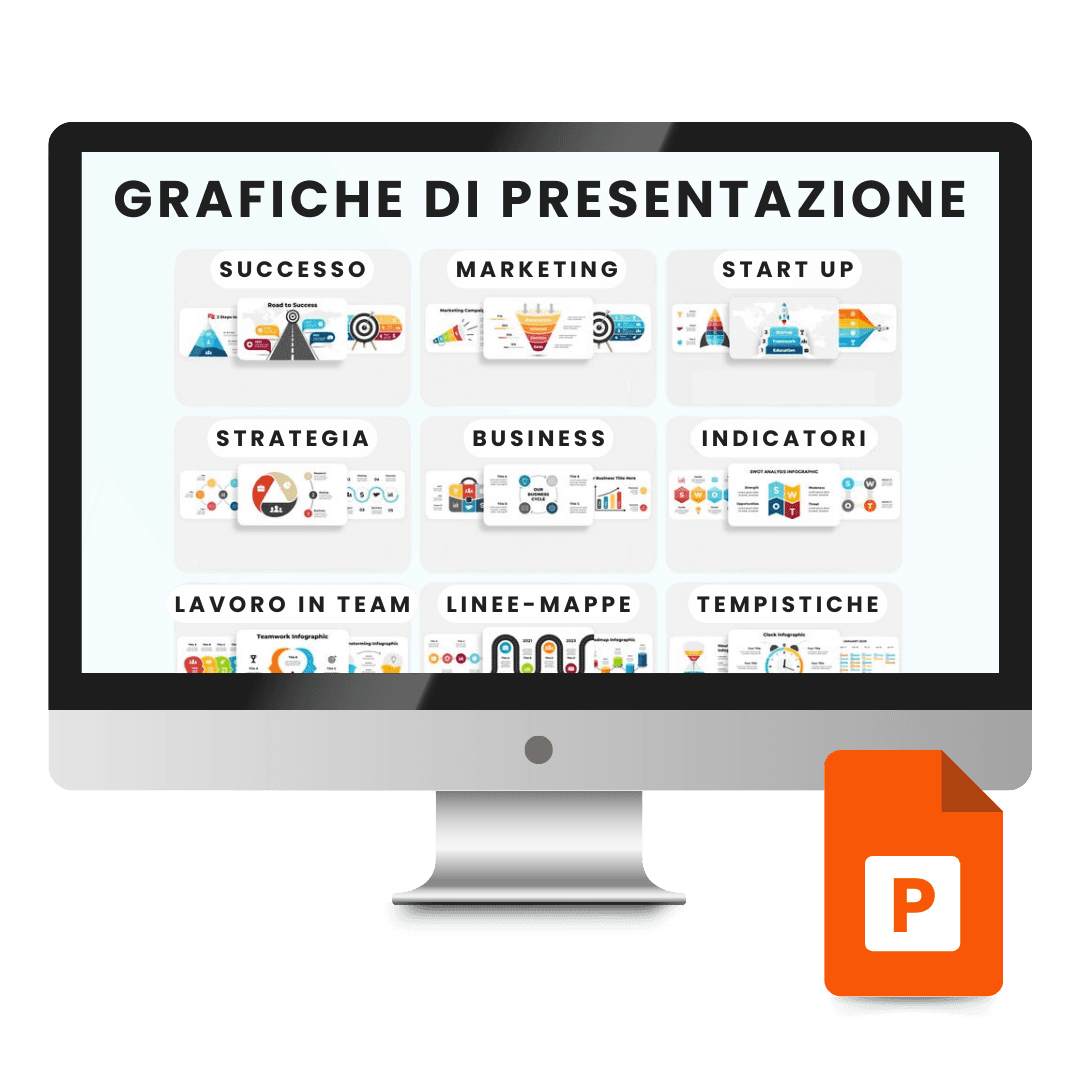

Template PowerPoint Presentazione Aziendale

Trusted Shops
Buyer Protection guaranteed refund
PowerPoint Business Presentation Template with 3,500 Slides
Trusted Shops Guarantee, Fast Email Delivery and Technical Support Included
| Language | Italian, Multi-Language |
|---|---|
| Access | Files yours forever |
| Compatibility | Microsoft PowerPoint |
| Format | Presentation .pptx |
PowerPoint Business Presentation Template is the pack of 3,500 ready-designed slides for building professional presentations in hours instead of days: covers, editable charts, infographics, timelines, team slides and icons ready to reuse. It is designed for companies, consultants and anyone presenting to clients and investors. The files are yours forever.
Why choose PowerPoint Business Presentation Template
The slow part of a presentation is not writing the content but giving it a readable form: aligning elements, choosing colours, building a chart that is understood at first glance. That is design work, and anyone who is not a designer spends hours on it and still gets a modest result.
With a pack of ready-designed slides the problem shifts: you choose the layout that suits the content, replace text and data and the presentation is ready. The charts are editable directly in PowerPoint, so they change with your numbers, and every element is consistent in style.
What PowerPoint Business Presentation Template is and what it is for
The pack includes 3,500 slides already sorted by content type, and the reason there are so many is that a presentation is not built by picking the prettiest slide but by finding the one that carries exactly the data you have.
Every element is editable: colours, text, chart data and proportions adapt to your corporate identity. Icons and graphic elements are vectors, so they stay sharp even enlarged to full screen or projected. As these are PowerPoint files, no program beyond the one you already use is needed.
After the first presentation it is worth taking one more step: saving in a separate file the ten or fifteen slides already adapted to your company's colours, logo and fonts. That file becomes the starting point for every later presentation, and the full pack stays the store from which to take a new slide only when it is really needed.
How to adapt a template to your own identity without ruining it
- Colours are changed in the theme, not slide by slide
By editing the theme's palette, all the slides update together. Colouring every element by hand means redoing the work at every change of mind. - The logo goes in the master, not on individual slides
Placed once in the layout, it appears where it is needed and disappears where it is not. Pasted everywhere by hand, it stays crooked on half the presentation. - Fonts should be replaced from a single panel
There is a function that changes a font throughout the presentation. Doing it box by box on two hundred slides is half a day. - Images are not stretched, they are cropped
Distorting a photograph to make it fit the space always shows. Cropping keeps the proportions and the result stays clean. - You take the slides you need, not all of them
A large collection is a warehouse to pick from. A presentation of twelve well chosen slides works better than forty used because they were there. - If the font is not a common one, it has to be embedded
Opened on another computer, the presentation substitutes the missing fonts and the layout shifts. Embedding or a widespread font solves it before it happens. - The text on the slides is not the speech
Whoever reads the slide is not listening to the speaker. Complete sentences go in the notes, the slide keeps the points. - What the template cannot do
It does not write the content and it does not decide the order of the talk. It gives a coherent look to what you have to say, and that part stays yours.
Contents of PowerPoint Business Presentation Template
- 3,500 ready slidesLayouts already designed for every type of content
- Covers and opening slidesSeveral variants to open the presentation
- Editable charts and diagramsBar charts, pies, lines and process schemes
- Infographics and mapsVisual representations of data and geographic distributions
- Team and people slidesPresentation of the organisation and roles
- Timelines and roadmapsTime sequences and development plans
- Icons and graphic assetsVector elements to reuse in the slides
Comparison: the Licensel templates compared
| Template | Area | Program | Ideal for |
|---|---|---|---|
| Excel Client Tracker | Client and activity management | Excel | Freelancers and agencies |
| Excel Company Accounting | Monthly and annual accounting | Excel | Small businesses and craftspeople |
| Excel Project Management | Project planning and progress | Excel | Project managers and teams |
| PowerPoint Business Presentation | Presentations and pitches | PowerPoint | Anyone presenting to clients and investors |
| AutoCAD Template Pack | Interior design drawing sets | AutoCAD and AutoCAD LT | Architects and interior design studios |
| Access | Files yours forever | No expiry | No renewal |
| Customisation | Complete | Colours, logos and entries | No limits |
Compatibility
The PowerPoint Business Presentation Template opens with Microsoft PowerPoint on Windows and macOS and remains compatible with the main alternative presentation programs. For details see the "Requirements" tab on the product page.
What do I receive after purchase?
By purchasing this product you receive by email the link to download the files, together with the instructions to open and customise them. The files are yours forever: no expiry, no renewal, no activation to perform.
Advantages of buying on Licensel
- Fast delivery by email
You receive the download link within a few minutes of your order. - Files yours forever
You buy once: the files stay yours, with no expiry and no renewals. - Always free support
Our technicians assist you via Live Chat and email, at no additional cost. - Invoice included
The invoice is issued automatically once the purchase is complete. - Trusted Shops: guaranteed purchase
Licensel is part of Trusted Shops, which protects your purchase with the official buyer guarantee.
How to buy and download
- Add to basket
Complete your order in a few clicks, with no complicated registration. - Receive the link by email
Within a few minutes you receive the link to download the files to your computer. - Open and customise
Open the file with the indicated program and replace the sample data with your own. - Support included
For any question our technicians are available via Live Chat and email.
Need help?
No problem: our technicians are available via the Live Chat at the bottom right of the website to assist you in real time.
Frequently asked questions
Do I need design skills?
Are the charts editable?
Can I use them for my agency's clients?
Do I need a license or an activation code?
Can I customise it with my own data?
DIGITAL Delivery
Guaranteed instant delivery
Customer Support
Always available.
Money-back guarantee
Total satisfaction guarantee.
TrustedShops
Buy with certified confidence.