












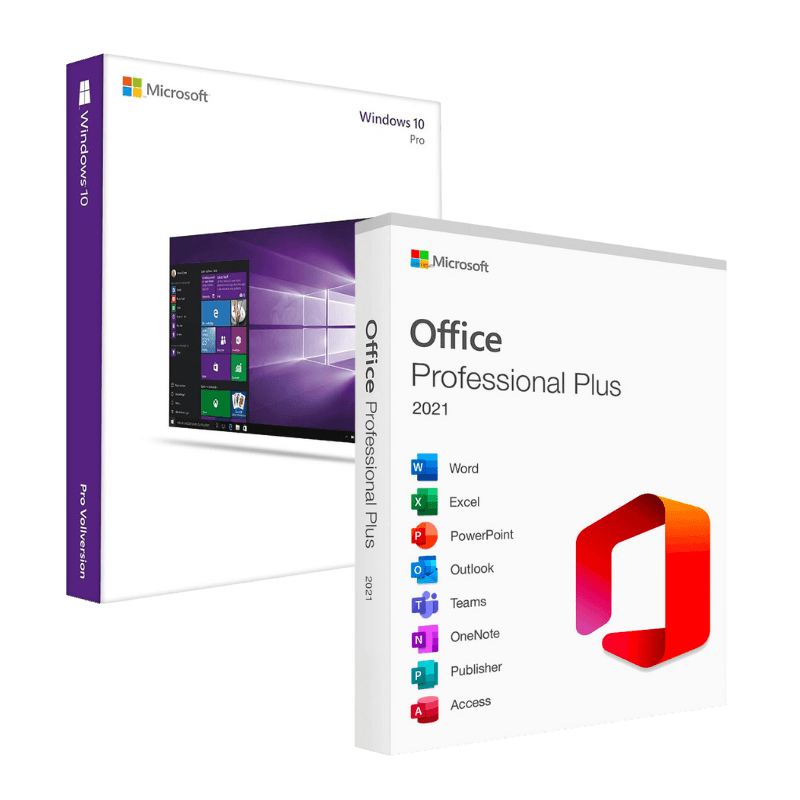

Microsoft Windows 10 Pro + Office 2021 Professional Plus

Trusted Shops
Buyer Protection guaranteed refund
Microsoft Windows 10 Pro + Office 2021 Professional Plus Original Perpetual License
Fast Email Delivery, Official Guarantee and Free Technical Support
| Language | Multi-Language |
|---|---|
| Validity | Perpetual (no expiry) |
| Content | Windows 10 Pro + Office 2021 Professional Plus |
| Devices | 1 or 5, depending on the chosen variant |
The Microsoft Windows 10 Pro + Office 2021 Professional Plus package brings together in a single purchase the professional operating system and the complete Office suite, both with a perpetual license that never expires. You will receive two separate activation codes, one for Windows and one for Office. It is the way to set up a work computer from scratch.
Why choose Microsoft Windows 10 Pro + Office 2021 Professional Plus
When you bring a computer back into service, or set up a new one, two things are needed: the operating system and the program you work in. Buying them together costs less than buying them separately and avoids ending up with an installed PC but no tools to use it.
The two licenses are independent of each other and do not expire: they stay valid on the computer where they are activated, with no renewals and no annual fees. Anyone working with documents and spreadsheets also finds Access and Publisher in the Professional Plus suite, absent from the Home editions.
What Microsoft Windows 10 Pro + Office 2021 Professional Plus is and what it is for
Windows 10 Pro is the professional edition of the operating system: to Home it adds BitLocker encryption, incoming Remote Desktop, Hyper-V virtualisation and joining a company domain. It remains the appropriate choice on computers that do not meet the hardware requirements of Windows 11.
Office 2021 Professional Plus includes Word, Excel, PowerPoint, Outlook, Access, Publisher and OneNote in the version installed on the computer, which also works without a connection. It is the complete suite, not the reduced version preinstalled on many new PCs.
What comes across from an old computer, and what does not
- The documents are the easy part
They are copied onto an external disk and put back where they are needed. It is everything else that, if not prepared for, gets lost without you noticing. - The mail depends on how it is set up
If the mailbox is the kind that leaves the messages on the server, putting the account back is enough. If instead it downloads everything into a local file, that file has to be copied by hand before formatting. - The mail signature and the rules do not follow the account
They are settings of the computer, not of the mailbox. They are saved separately, or rewritten, and nobody remembers at the right moment. - Templates and the personal dictionary sit in hidden folders
Letterheads, invoice templates and the words added to the spellchecker live in the user profile. It is worth looking for them beforehand, not regretting them afterwards. - Browser bookmarks and passwords can be exported
Every browser has its export function, or syncs them with an account. It is two minutes that are worth a year of collecting. - Programs do not move, they are reinstalled
Copying a program's folder from one computer to another almost never works. You need the installation files and the codes, and you gather them beforehand. - Network printers have to be put back, and local ones too
It is a ten minute job that nonetheless blocks the office on Monday morning if that is when you notice the driver is missing. - The old computer is not thrown out straight away
You keep it working and set aside for a month. That is the period in which you notice what you forgot to copy.
Feature overview of Microsoft Windows 10 Pro + Office 2021 Professional Plus
| Feature | Included |
|---|---|
| Installation media made on a memory stick | ✔ |
| Activation recognised after a reinstall | ✔ |
| Suite installable in the 32 or 64 bit version | ✔ |
| Suite components selectable during the installation | ✔ |
| Documents compatible with the suite's earlier versions | ✔ |
| Folders shared over the network between the office computers | ✔ |
| Security updates until the end of support | ✔ |
| No periodic fee to renew | ✔ |
Comparison: Windows 10 Pro and Office 2021 Professional Plus
| Feature | Windows 10 Pro | Office 2021 Professional Plus |
|---|---|---|
| Computer operating system | ✔ | ✘ |
| Word, Excel, PowerPoint and Outlook | ✘ | ✔ |
| Access and Publisher | ✘ | ✔ |
| BitLocker and Remote Desktop | ✔ | ✘ |
| Hyper-V and Windows Sandbox | ✔ | ✘ |
| Perpetual license with no expiry | ✔ | ✔ |
| Dedicated activation code | ✔ | ✔ |
| Official Microsoft download | ✔ | ✔ |
System requirements
Windows 10 requires a 1 GHz or faster processor, 2 GB of RAM for the 64-bit version, 20 GB of free disk space and a DirectX 9 compatible graphics card. It runs smoothly even on computers that are several years old. For detailed requirements see the "Requirements" tab on the product page. Office 2021 Professional Plus is then installed on the system you have just activated and needs nothing else.
Why are licenses priced so low?
As these are retail licenses previously owned and decommissioned by the former holder in accordance with EU Court ruling C-128/2011, they can be purchased at a more affordable price. These official licenses are fully compliant and guaranteed at the best price on the market.
What do I receive after purchase?
By purchasing this product you will receive the official download of the software from the Microsoft website, the license for activation and complete instructions for a correct installation.
Advantages of the Licensel License
- Fast delivery by email
You receive the license and the download link within a few minutes of your order. - Always free support
Our technicians assist you via Live Chat and email, at no additional cost. - Invoice included
The invoice is issued automatically once the purchase is complete. - Trusted Shops guarantee
Licensel is a Trusted Shops partner shop: every order is covered by the official buyer guarantee.
How to buy and activate
- Choose your edition
Select the version you need and complete your order in a few clicks. - Receive the license by email
Within a few minutes you receive the official download link and the license for activation. - Install and activate
Download the software from the manufacturer's official website and enter the license to complete activation. - Support included
For any question our technicians are available via Live Chat and email.
How to download and install Microsoft Windows 10 Pro + Office 2021 Professional Plus
After purchase you receive by email two separate licenses and the official Microsoft download links. Prepare the Windows installation stick with the Media Creation Tool, install the system and activate it with the first license under Settings, System, Activation. Then download the Office package from the Microsoft website, run the installation and activate it with the second license. Our technicians can guide you through both steps.
Need help with installation?
No problem: our technicians are available via the Live Chat at the bottom right of the website to assist you in real time.
Frequently asked questions
Do I receive one code or two?
Are the licenses perpetual?
Can I install them on two different computers?
What does Office 2021 Professional Plus include?
Does Windows 10 still receive updates?
DIGITAL Delivery
Guaranteed instant delivery
Customer Support
Always available.
Money-back guarantee
Total satisfaction guarantee.
TrustedShops
Buy with certified confidence.